Email Marketing Newsletter (Start With Free Tools) 2026
This post contains affiliate links.
📘 TL;DR – What you’ll learn: Your email list is the only audience you truly own – no algorithm changes, no platform bans. This guide shows you how to start an email marketing newsletter with free tools, from zero subscribers to your first sale. Pick a free tool (MailerLite, Systeme.io, Beehiiv), create a lead magnet, build a signup form, write a welcome email, and send your first broadcast. No budget. No tech skills. Just a plan that works.
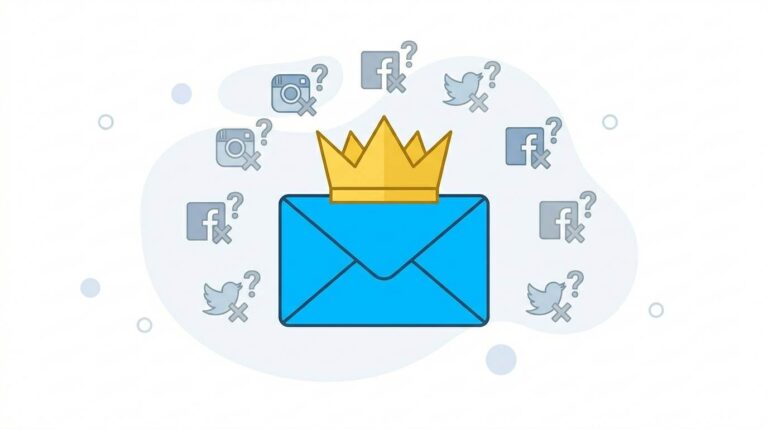
🔥 The Ownership Illusion
You have been posting on social media for months. You watch your reach decline. You feel invisible. Then someone says: “You need an email list.” But every guide you find assumes you have a budget, technical skills, or an existing audience, brother.
Here is the brutal truth: Google will not save your blog. Algorithms will not protect you. Your email list is the only thing you truly own. The bloggers who survive platform changes, algorithm updates, and bans are the ones with a loyal email list.
In this guide, I will show you exactly how to start an email marketing newsletter with free tools – from zero to first subscriber to first sale. No budget. No tech skills. Just a simple plan that works.
Before you start your newsletter, understand the bigger picture. My What Is Email Marketing guide covers the fundamentals. And to ensure you’re writing emails people actually open, read Email Marketing Best Practices – it gives you 10 proven tips for opens, clicks, and sales.
📌 Real story – From 0 to 500 subscribers with $0 (and 3 months of patience)
Two years ago, I had zero subscribers. I had no budget for fancy tools. I used a free MailerLite account. I offered a simple PDF checklist. I added a signup form to my blog sidebar. For the first month, I got 12 subscribers. I felt discouraged. But I kept going. Month two: 87 subscribers. Month three: 500 subscribers. Today, that list brings me regular income and loyal readers. You do not need money. You need consistency and a plan.
⚠️ The #1 lie that keeps you stuck: “You need an expensive email tool to look professional.” False. Free tools like MailerLite, Systeme.io, and Beehiiv are used by successful creators. Upgrade later when you outgrow free limits – not before.
✅ What Is an Email Marketing Newsletter? (Straight Talk)
An email marketing newsletter is a regular email you send to people who asked to hear from you. It is not spam. It is not cold email. It is a direct conversation with people who trust you.
Your newsletter can include:
- New blog posts (summarized, not just links)
- Personal stories and behind‑the‑scenes
- Practical tips your readers can use today
- Exclusive offers or resources
- Simple questions to start a conversation
📊 Why an Email Newsletter Is Your Most Valuable Asset (No Hype)
Social media is rented land. You pay with your time and attention, but you never own the relationship. One algorithm change, one shadowban, one platform shutdown – and your audience vanishes. Your email list is different.
- You own it. No algorithm decides who sees your message.
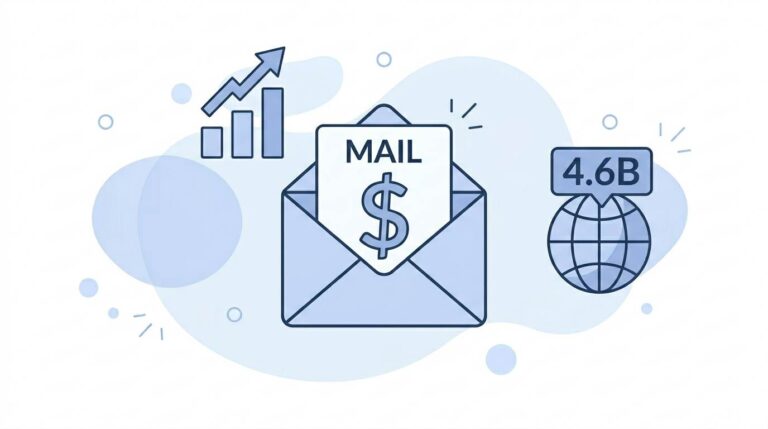
- People check email daily. 4.6 billion email users – more than any social platform.
- Higher engagement. Email open rates average 20‑30% – far higher than Instagram or Facebook reach.
- It drives sales. For every $1 spent on email marketing, the average return is $42.
🛠️ 5 Free Tools to Start Your Email Newsletter (No Credit Card)
| Tool | Free Plan | Best For |
|---|---|---|
| MailerLite | Up to 1,000 subscribers | Absolute beginners |
| Systeme.io | Free plan includes email, funnels, forms | All‑in‑one platforms |
| Beehiiv | Free up to 2,500 subscribers | Writers and creators |
| ConvertKit | Free up to 300 subscribers | Creators |
| Brevo (Sendinblue) | Free up to 300 emails/day | Transactional email |
My recommendation for absolute beginners: Start with MailerLite. It is simple, reliable, and the free plan lasts a long time. Systeme.io is excellent if you want an all‑in‑one platform for funnels and email.
📋 How to Start Your Email Marketing Newsletter (Step‑by‑Step)
Step 1 – Choose Your Free Email Tool
Pick one from the list above. Sign up. Most take less than 5 minutes. Do not overthink this – you can switch tools later. Start with MailerLite or Systeme.io.
Step 2 – Create a Lead Magnet (Your Freebie)
People will not subscribe for free. They subscribe in exchange for value. Your lead magnet is that value. It does not need to be fancy. Examples:
- PDF checklist (e.g., “10 Blogging Mistakes to Avoid”)
- Short ebook or guide (5‑10 pages in Canva)
- Video tutorial (record on your phone)
- Template or worksheet
- Email course (5 emails over 5 days)
Step 3 – Build a Simple Signup Form (2 Minutes)
Most email tools have drag‑and‑drop form builders. Create a simple form asking for name and email. No extra fields. Keep it short.
Where to place your form:
- Blog sidebar
- End of every blog post (most effective)
- About page
- Popup (use sparingly – not annoying)
Step 4 – Write Your Welcome Email (Automate It)
The welcome email is the most important email you will ever send. It sets the tone for your entire relationship. Do not skip it.
A good welcome email includes:
- A sincere thank you
- The lead magnet link (deliver what you promised)
- A short introduction of who you are
- What to expect (how often, what topics)
- An invitation to reply (builds connection)
💡 Example welcome email (short, human, effective):
Subject: Here is your free guide, [Name]!
Hey [Name],
Thanks for joining! You can download your free guide here: [link].
I send one email every Tuesday with helpful tips about [your niche]. No spam, just value.
If you ever have questions, just hit reply – I read every message.
Talk soon,
[Your Name]
Step 5 – Send Your First Broadcast (Do Not Wait)
A broadcast is a one‑off email to your entire list. Do not wait until you have 100 subscribers. Send your first broadcast when you have 10. Treat them like royalty.
What to send in your first broadcast:
- Your latest blog post (with a short summary, not just a link)
- A quick tip or lesson from your niche
- A personal story or behind‑the‑scenes update
- Ask a question to start a conversation
💡 Pro Tip: Do not wait until your list is “perfect” or “big enough.” The habits you build early will serve you forever. Send your first email this week – even if you only have 5 subscribers.
✍️ What to Send in Your Newsletter (Ideas for When You Are Stuck)
Beginners freeze because they think they need to write long, perfect essays. You do not. Here are 5 simple newsletter ideas:
- Curated resources: “3 tools I discovered this month (and why they work)”
- Personal update: “What I have been working on (and what I learned)”
- Answer a reader question: “Someone asked me about [topic] – here is my honest answer”
- Behind the scenes: “How I created [recent project] (the messy truth)”
- Quick win tip: “One small change that saved me 2 hours this week”
For a complete campaign plan, read How to Build an Email List – it covers list-building strategies from scratch.
❌ 5 Beginner Mistakes That Kill Your Newsletter (Avoid These)
- Sending too often. Once a week is plenty. Do not spam. Twice a month is also fine.
- Boring subject lines. Your subject line decides if they open. Make it curious or useful.
- No unsubscribe link. Illegal and shady. Always include one. It builds trust.
- Selling too much. Follow the 80/20 rule: 80% value, 20% promotion. Help first, sell second.
- Writing like a robot. Be human. Write like you talk. Use “you.” Read your email out loud before sending.
💡 The Brutal Truth (Read This Twice)
Most beginners never start an email list because they think they need thousands of subscribers before it matters. They post on social media, watch their reach decline, and wonder why they feel invisible.
Your email marketing newsletter is not a “nice to have.” It is not optional. It is the only digital asset you truly own. Social media can ban you. Google can change its algorithm. Your email list? It stays with you.
You do not need thousands of subscribers to start. You do not need a fancy design. You need a simple plan, a little consistency, and the courage to send that first email.
⚠️ Remember: The bloggers who survive the next algorithm change will be the ones with an email list. Start building yours today – even if you only have 5 subscribers.
📅 Your 7‑Day Email Newsletter Launch Plan (Start Today)
- Day 1: Sign up for MailerLite (free). Complete your profile.
- Day 2: Create a simple lead magnet (PDF checklist – 10 tips in Canva).
- Day 3: Build a signup form. Add it to your blog sidebar.
- Day 4: Write your welcome email. Set up automation.
- Day 5: Write your first broadcast email (share a blog post or quick tip).
- Day 6: Share your signup form on social media, Pinterest, or with friends.
- Day 7: Send your first broadcast to your first subscribers. Celebrate.
In one week, you will have a working email newsletter – $0 spent.
🙋 Frequently Asked Questions
Do I need a website to start an email newsletter?
No. You can share your signup link on social media, forums, or through a free landing page from your email tool.
Can I use Gmail to send my newsletter?
No. Use a proper email marketing tool – it is legal, trackable, and scalable. Free tools exist.
How often should I send my newsletter?
Once per week is ideal for beginners. Consistency is more important than frequency. If once a week feels too much, start with twice a month.
What if I have zero subscribers?
Start with friends and family. Share your lead magnet on Pinterest, Facebook groups, Quora, and Reddit. Every subscriber is a win.
How long until I see results?
You will see signups immediately if you promote. Building a meaningful list takes 3‑6 months. Be patient. The bloggers who succeed are the ones who do not quit.
🎤 Final Thoughts: Your Email List Is Your Future
An email marketing newsletter is not a “nice to have.” It is not optional. It is the only digital asset you truly own. Social media can ban you. Google can change its algorithm. Your email list? It stays with you.
You do not need thousands of subscribers to start. You do not need a fancy design. You need a simple plan, a little consistency, and the courage to send that first email.
Pick a free tool. Create a lead magnet. Add a signup form. Write a welcome email. Send your first broadcast. Then do it again next week.
Your future self will thank you. The bloggers who survive the next algorithm change will be the ones with an email list. Be one of them.
You have got this, brother. 📧
👉 Ready to start your email newsletter today – for free? Sign up for MailerLite (free up to 1,000 subscribers). No credit card needed. Start building your list today.