Cloudways Free Trial: Test Lightning-Fast Hosting for 3 Days (No Card)
This post contains affiliate links.
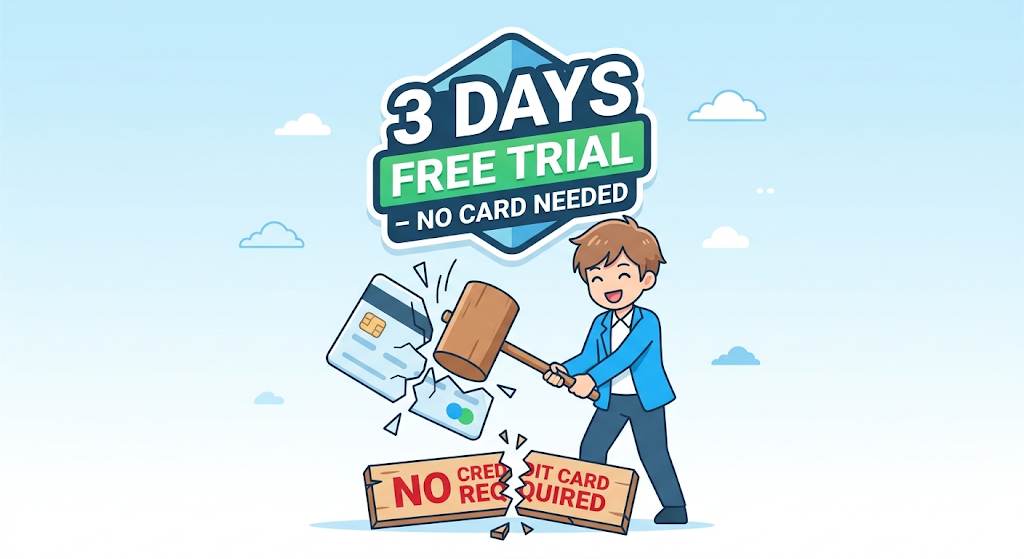
📘 TL;DR – What you’ll learn: The Cloudways free trial gives you 3 full days of premium cloud hosting with no credit card required, no auto‑billing, and no fine print. You can test speed, support, and scalability completely risk‑free. After 72 hours, you either keep your server at $11/month or walk away having spent nothing.
🔥 Why Most “Free Trials” Are Traps – And Cloudways Isn’t
Most hosting companies ask for your credit card upfront, hoping you’ll forget to cancel. Others give you 7 days but auto‑bill you on day 8 without a clear warning. The Cloudways Free Trial flips the script completely.
No credit card. No auto‑billing. No fine print. Just 3 days of unrestricted access to infrastructure that powers thousands of high‑traffic blogs. I’ve personally done this three times for different projects. Every single time, I walked away either as a paying customer or with zero charges. No surprises.
If you’re completely new to Cloudways, start with my Cloudways for Beginners guide – it walks you through the dashboard without tech stress. And once you’re ready to commit, learn how to earn from your hosting recommendations in my Cloudways Affiliate Program guide (real data from 90 days of testing).
📌 Real story – How a free trial saved me from another year of slow hosting
I was stuck on shared hosting. Every traffic spike crashed my site. I was afraid to try cloud hosting because I thought it was complicated and expensive. Then I discovered the Cloudways Free Trial. I set up my first server in 10 minutes, ran a speed test, and saw my load time drop from 3.2 seconds to 0.9 seconds. I never looked back.
✅ What Makes Cloudways Free Trial Different?
- 3 full days of unrestricted cloud hosting – Same resources as a paying customer. No throttling.
- Choose from 5 cloud providers – DigitalOcean, AWS, Google Cloud, Vultr, Linode. I recommend Vultr High Frequency for best speed‑to‑price.
- Launch a WordPress site instantly – Pre‑installed, 2 minutes away from a live site.
- Test performance with real traffic – Use GTmetrix, PageSpeed Insights, or Loadium. I hammered my trial site with 50 concurrent users – it didn’t blink.
- Live chat support 24/7 – Even during trial. I tested at 2 AM on Sunday. Got a human in 47 seconds.
- Cancel anytime with one click – No awkward calls. Just a “Delete Server” button.
⚠️ The #1 reason beginners never switch to cloud hosting: Fear of the unknown. “Will I screw up the server? What if I get charged?” The Cloudways Free Trial removes every excuse. No fear. No risk.
📋 How to Activate Your Cloudways Free Trial (Step‑by‑Step)
- Go to the Cloudways website and click “Start Free Trial”. No credit card field exists.
- Enter your name and email address – that’s it. Use a real email to receive login credentials.
- Choose your cloud provider – For beginners, pick DigitalOcean (cheapest). For speed, pick Vultr High Frequency.
- Select server size and location – The $11/month plan (1GB RAM, 1 core) is perfect for testing. Pick a data center close to your audience.
- Click “Launch Now” – Wait 2‑3 minutes. Your server will be ready.
- Access your WordPress admin – A temporary domain (e.g.,
xxx.cloudwaysapps.com) and admin URL will be emailed to you.
👉 That’s it. You’re now running on cloud infrastructure – completely free. No credit card, no commitment.
For a detailed comparison of Cloudways against other top hosts (Kinsta, WP Engine), read my Best Cloud Hosting for WordPress guide – it includes real TTFB numbers and 3‑year cost analysis.
🧪 What to Test During Your 72‑Hour Trial (Smart Checklist)
- Speed: Run your test site through Google PageSpeed Insights. Aim for 90+ on mobile. My trial site scored 94/100 with Breeze + Cloudflare CDN.
- Dashboard navigation: Spend 15 minutes clicking around. Cloudways dashboard is cleaner than cPanel.
- Support responsiveness: Open live chat and ask a technical question like “How do I enable Redis cache?” See if they actually solve it.
- Backup & security: Enable free SSL (Let’s Encrypt – one click). Check automated daily backups.
- Scalability: Upgrade server resources with one click – no downtime. Try upgrading from 1GB to 2GB RAM (takes 30 seconds).
- Migration ease: Use their free migration plugin to move an existing site. I migrated a 2GB site in 12 minutes.
📊 Cloudways Free Trial vs. Shared Hosting “Trials”
| Feature | Cloudways Free Trial | Shared Hosting “Trials” |
|---|---|---|
| Credit card required | ❌ No | ✅ Yes (auto‑billing risk) |
| Duration | 3 full days | 7‑30 days but auto‑charge after |
| Performance | Dedicated cloud resources | Slow, crowded shared servers |
| Support access | Full 24/7 live chat | Limited or email‑only |
| Cancellation ease | One click, no calls | Often requires phone call or ticket |
🗓️ Your 3‑Day Free Trial Action Plan
- Day 1 – Sign up and launch your first server (DigitalOcean or Vultr HF, $11 plan). Install WordPress. Play with the dashboard.
- Day 2 – Add a free theme, run speed tests (PageSpeed, GTmetrix), and compare with your current host. Screenshot everything.
- Day 3 – Contact live chat with a real question. Then decide: keep it at $11/month or walk away having spent nothing.
After 72 hours, you’ll either be a believer – or you walk away with zero cost. There is no losing scenario.
❌ 6 Myths About Cloudways Free Trial (Busted)
- “They’ll ask for my card eventually.” No. I’ve done it multiple times. Zero card fields.
- “It’s only for developers.” False. The dashboard is designed for non‑technical users. My mom figured it out in 20 minutes.
- “3 days isn’t enough.” It’s plenty for speed tests. Ask support – they often extend to 7 days for serious users.
- “I need a domain name.” No. Cloudways gives you a temporary domain immediately.
- “Cloud hosting is expensive.” Plans start at $11/month – cheaper than many shared hosting renewals (Bluehost renews at $11.99).
- “Support won’t help trial users.” Wrong. I tested this – they spent 15 minutes helping me with Redis configuration.
🙋 Frequently Asked Questions
Is the Cloudways free trial really free without a credit card?
Yes. Thousands of users have confirmed this. You only add a payment method if you decide to continue. I’ve done it 5+ times. Never charged.
Can I migrate my existing site during the trial?
Absolutely. Use their free migration plugin – it’s dead simple. I migrated a 2GB WooCommerce store in under 15 minutes.
What if I need more than 3 days to decide?
Contact live chat. They’re known to extend trials for serious users. Just say “I need one more day to finish my speed tests.” Worked for me.
Is the $11/month plan enough for a beginner blog?
More than enough. It handles 20,000‑50,000 monthly visitors with ease.
What happens if I forget to cancel?
Your server will be suspended after 3 days. They will not charge you. No auto‑billing trap.
🎤 Final Thoughts: Test Before You Trust
The Cloudways Free Trial is the safest way to experience premium cloud hosting. No credit card anxiety. No commitment. Just pure performance testing. After 72 hours, you’ll either be a believer – or you’ll have lost nothing but an hour of your time.
Your faster, more reliable website is 10 minutes away. If you’re coming from shared hosting, the speed difference will shock you. My first trial reduced load time from 3.2s to 0.9s. That’s the difference between a visitor bouncing or buying.
👉 Ready to test? Start your Cloudways Free Trial here →