How to Build an Email List: 5 Easy Steps
This post contains affiliate links.
📘 TL;DR – What you’ll learn: Building an email list is the smartest thing you can do for your blog. This guide shows you how to build an email list in 5 easy steps – choose a free tool, create a lead magnet, build a signup form, write a welcome email, and share your form. No tech skills. No budget. Just action. Start today with free tools and grow an audience you truly own.
🔥 The Ownership Illusion
Let me ask you something, friend. You have been told to “build your email list” a hundred times. But every guide makes it sound complicated. Choose a tool. Set up automation. Create a lead magnet. Add forms everywhere. It feels overwhelming, especially when you have barely any traffic.
Let me simplify it for you. Building an email list is not about fancy technology. It is about one thing: giving people a reason to trust you with their email address. And you can start today – in less than 30 minutes – with completely free tools.
This guide will show you how to build an email list the easy way. No tech headaches. No expensive software. Just a simple system that works for beginners in 2026. By the end, you will have your first signup form live and your first subscribers joining.
Before we dive in, understand why this matters. My Why Email Marketing Is Important guide explains the 7 reasons you own your audience. And to write emails people actually open, read Email Marketing Best Practices – it gives you 10 proven tips for opens, clicks, and sales.
📌 Real story – Lina built a 500‑subscriber list with zero website traffic
Lina wanted to start a blog about budget travel. She had no website yet. She created a simple lead magnet – a PDF checklist called “10 Ways to Travel on $50 a Day”. She shared the link on Pinterest and in Facebook travel groups. Within 30 days, she had 500 email subscribers. She built her list before her blog even launched. When she finally published her first post, she already had an audience waiting.
⚠️ The biggest lie about email lists: “You need a large website to grow your list.” False. You can start with a single landing page, a social media post, or even a Google Form. Your list is not about traffic; it is about trust and value.
✅ Why an Email List Is Your Most Valuable Asset (No Hype)
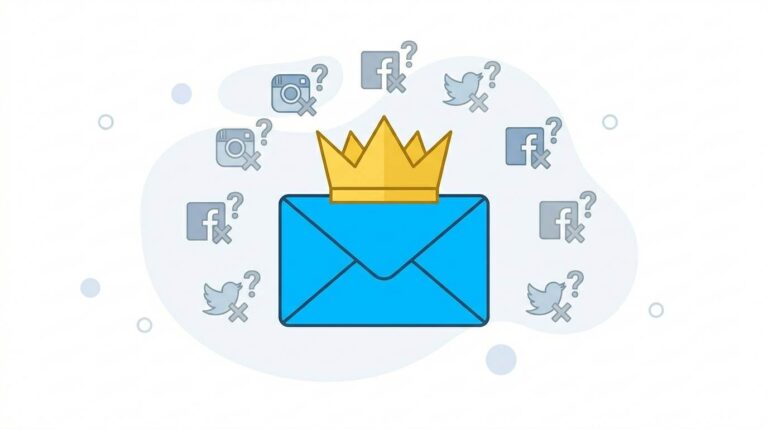
Social media is rented land. The platform owns your audience. They can shadowban you, change algorithms, or shut down your account anytime. Your email list? It is yours. Forever.
- Highest ROI channel. For every $1 you spend on email marketing, the average return is $42.
- Direct access. Your email lands in their inbox – not filtered by an algorithm.
- Platform‑proof. Facebook crashes? Instagram bans you? You still have your list.
- Compounding value. Every subscriber is an asset that grows over time.
🛠️ What You Need to Start (Literally, Almost Nothing)
You do not need a website. You do not need a big following. You do not need to be a designer or writer. You just need:
- ✅ A free email marketing tool (I will show you which one).
- ✅ A simple lead magnet (a freebie people want).
- ✅ A signup form (takes 2 minutes to create).
- ✅ A place to share your form (social media, your blog, or even a link).
📋 Step 1 – Choose the Right Tool (Free Plans Are Enough)
You do not need to pay anything to start. These tools have generous free plans:
| Tool | Free Plan | Best For |
|---|---|---|
| MailerLite | Up to 1,000 subscribers | Absolute beginners |
| ConvertKit | Up to 300 subscribers | Creators |
| Systeme.io | Free plan includes email, funnels, forms | All‑in‑one platforms |
My recommendation for absolute beginners: MailerLite. It is simple, reliable, and the free plan lasts a long time.
📄 Step 2 – Create a Simple Lead Magnet (Your Freebie)
People will not give you their email without a reason. Your lead magnet is that reason. It does not need to be fancy – just helpful.
Quick lead magnet ideas:
- 📄 PDF checklist (e.g., “10 SEO Mistakes to Avoid”)
- 📘 Short guide or ebook (5‑10 pages)
- 🎥 Video tutorial (record on your phone)
- 📧 5‑day email course (write 5 short emails)
- 📊 Template or worksheet
How to create one in 30 minutes: Use Canva (free) to design a simple PDF. Write 5‑10 tips. Export as PDF. That is it.
📝 Step 3 – Build Your Signup Form (2 Minutes)
Most email tools have a drag‑and‑drop form builder. You do not need coding skills. Just enter your name, email field, and a short headline like “Get your free guide”.
Where to place your form:
- End of every blog post (most effective)
- Sidebar of your blog
- Popup or slide‑in (use sparingly)
- About page and contact page
- Social media bio (link to your form)
📧 Step 4 – Write One Welcome Email (Automate It)
When someone subscribes, send them an automatic email. It should:
- Thank them personally
- Deliver the lead magnet (link to download)
- Briefly introduce yourself
- Tell them what to expect (how often you email)
💡 Example welcome email (short and human):
Subject: Here is your free guide, [Name]!
Hey [Name],
Thanks for joining! You can download your free guide here: [link].
I send one email every Tuesday with practical tips about [your niche]. No spam, just value.
If you ever have questions, just hit reply – I read every message.
Talk soon,
[Your Name]
📢 Step 5 – Share Your Form (Without Spamming)
You built your form. Now get people to see it.
- Pinterest: Create a simple pin with your lead magnet title and link.
- Facebook groups: Join niche groups, answer questions, and offer your lead magnet where helpful.
- Quora / Reddit: Find relevant questions, write a helpful answer, and mention your free resource.
- Your blog: Add the form after every post and in your sidebar.
- Link in bio: Use Linktree or a direct link to your form on social media profiles.
Do not spam. Add value first. Share your lead magnet only when it genuinely helps someone. For more promotion strategies, read 8 Free Traffic Strategies – it covers Pinterest, Quora, Facebook groups, and more.
💡 Pro Tip: Do not wait for “perfect”. Start with a simple form and a basic lead magnet. You can always improve later. The most important step is starting.
✍️ What to Send to Your List (Without Overwhelming Yourself)
You do not need to send daily emails. Once per week is perfect for beginners. Here is what you can send:
- ✅ Your latest blog post (with a short summary, not just a link)
- ✅ A quick tip or lesson (not published anywhere else)
- ✅ A behind‑the‑scenes story about your journey
- ✅ A helpful resource or tool recommendation
- ✅ An occasional offer (affiliate link, product, or service)
Follow the 80/20 rule: 80% valuable content, 20% promotional. This builds trust and keeps your unsubscribe rate low.
❌ Common Email List Mistakes That Kill Your Growth
- ❌ Buying email lists. Illegal, spammy, and destroys your reputation.
- ❌ Not delivering your lead magnet. If you promise a guide, send it immediately – automatically.
- ❌ Sending only sales emails. People unsubscribe fast.
- ❌ Inconsistent emails. Email once a week for a year beats 10 emails in a month then silence.
- ❌ Making signup complicated. Name + email only. No extra fields.
💡 The Brutal Truth (Read This Twice)
Most beginners never start building an email list because they think they need thousands of visitors first. They wait until their blog is “big enough.” Meanwhile, Lina built 500 subscribers before she even launched her blog – by sharing one simple PDF checklist on Pinterest.
How to build an email list is not about complicated technology. It is about offering value, building trust, and showing up consistently. You can do the same. Do not wait until your blog is “ready”. Do not wait until you have thousands of visitors. Start today. Create one lead magnet. Set up one form. Share it with one person.
Your email list will grow slowly at first. Then it will compound. And one day, when social media algorithms change or your traffic dips, you will still have a direct line to people who want to hear from you. That is freedom. That is ownership.
⚠️ Remember: You do not need a huge list to start seeing results. A small, engaged list of 100 subscribers can be more valuable than a dead list of 10,000. Focus on quality, not quantity.
📅 Your 7‑Day Email List Launch Plan (Easy Mode)
- Day 1: Sign up for MailerLite (free).
- Day 2: Create a simple lead magnet (PDF checklist – 5 tips).
- Day 3: Build a signup form in MailerLite (2 minutes).
- Day 4: Write your welcome email and set up automation.
- Day 5: Add your form to your blog or create a simple landing page.
- Day 6: Share your lead magnet link on Pinterest and one Facebook group.
- Day 7: Send your first broadcast email to your first subscribers.
That is it. You now have a growing email list.
🙋 Frequently Asked Questions
Do I need a website to build an email list?
No. You can share your signup link on social media, in forums, or through a free landing page from your email tool.
What if I have zero traffic?
Promote your lead magnet on Pinterest, Facebook groups, Quora, and Reddit. Even 10 subscribers is a start.
How often should I email my list?
Once per week is ideal for beginners. Consistency is more important than frequency.
Can I use Google Forms to collect emails?
Yes, but you will need to manually export and import emails. Better to use an email marketing tool – it is automated.
How long until I see results?
You will see signups immediately if you promote. A meaningful list of engaged subscribers takes 3‑6 months. Be patient.
🎤 Final Thoughts: Start Small, Think Big
How to build an email list is not about complicated technology. It is about offering value, building trust, and showing up consistently. Lina built 500 subscribers before she even launched her blog – by sharing one simple PDF checklist on Pinterest.
You can do the same. Do not wait until your blog is “ready”. Do not wait until you have thousands of visitors. Start today. Create one lead magnet. Set up one form. Share it with one person.
Your email list will grow slowly at first. Then it will compound. And one day, when social media algorithms change or your traffic dips, you will still have a direct line to people who want to hear from you.
That is freedom. That is ownership. That is why you build an email list.
You’ve got this, friend. 📧
👉 Ready to start building your email list today? Sign up for MailerLite (free). Free up to 1,000 subscribers. No credit card needed. Start building your list in 5 minutes.