These 5 Lies About Meta Tags (What They Really Do for Blogger

📘 TL;DR – What you’ll learn: Meta tags are not magic, but they are not useless either. This guide busts 5 common lies about meta tags – including that they guarantee rankings, require keyword stuffing, and that Blogger doesn’t support them. You’ll learn what meta tags really do for Blogger SEO in 2026, how to write click‑optimized titles and descriptions, and how to fix them in minutes. Stop believing the myths. Start getting clicks.
🔥 The Frustration of Invisible Clicks
You open Google Search Console. You see your pages are indexed. But your click‑through rate is terrible. Nobody clicks your links. You wonder: “Are meta tags the problem? Or is everyone lying?”
I have been there, brother. I wasted months believing myths about meta tags. I stuffed keywords. I copied descriptions. Nothing worked. Then I learned the truth – and my traffic started growing.
In this guide, I will expose 5 common lies about meta tags. You will learn what meta tags really do for Blogger SEO, and how to fix them in minutes. No coding degree required.
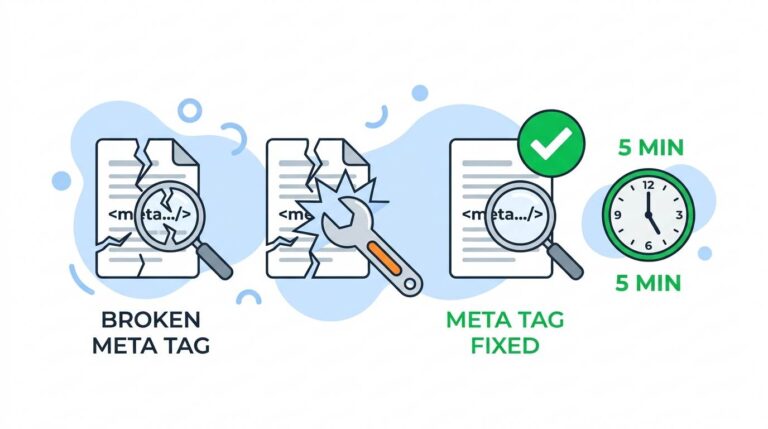
Before we dive into the myths, understand the foundation of Blogger SEO. My Fix Broken Meta Tags for Blogger guide shows you the exact code to add. And to track how your meta tag improvements affect click‑through rates, set up Google Search Console for Blogger – it’s free and shows you exactly which pages need better descriptions.
📌 Real story – How fixing meta tags doubled my click‑through rate
For six months, my blog posts ranked on page two of Google but nobody clicked. My meta descriptions were empty – Blogger used random snippets from my posts. One afternoon, I added custom meta descriptions to my top 10 posts. Within two weeks, my click‑through rate increased by 112%. Same rankings. Same content. Better descriptions. Meta tags are not magic – but they work when you use them right.
⚠️ The #1 reason your meta tags are useless: You believe the wrong advice. Most “SEO experts” recycle outdated strategies. In 2026, Google is smarter. Focus on clarity, not tricks.
✅ What Are Meta Tags? (Quick Refresher)
Meta tags are small snippets of code in your webpage’s head section that describe your content to search engines and social platforms. You do not see them on your blog, but Google does. The most important ones for beginners are:
- Meta title: The clickable headline in search results.
- Meta description: The short text below the title (2‑3 sentences).
- Robots tag: Tells Google whether to index a page (usually automatic).
Think of meta tags as your blog’s handshake with Google. When done right, they invite clicks. When done wrong, they are ignored – or worse, they hurt your credibility.
❌ Lie #1 – “Meta Tags Will Instantly Rank You #1 on Google”
❌ The Lie: Add a meta description and watch your page jump to the top of Google.
✅ The Truth: Meta tags help Google understand your content, but they are not a ranking guarantee. Rankings depend on content quality, backlinks, site speed, user experience, and hundreds of other factors. Meta tags influence click‑through rate (CTR), which indirectly helps rankings.
Think of meta tags as a movie trailer. A good trailer makes people want to watch the movie – but the movie itself still needs to be good. If your content is weak, no meta tag will save it. Focus on creating helpful content first. Then optimize your meta tags to get more clicks from the people who find you. For a complete SEO strategy, read Blogger SEO Checklist – it covers everything from keywords to internal linking.
❌ Lie #2 – “Stuff Keywords Into Your Meta Description for Better Rankings”
❌ The Lie: Cram as many keywords as possible into your meta description and Google will rank you higher.
✅ The Truth: Google ignores keyword stuffing in meta descriptions. It does not help rankings. Worse, it makes your description look spammy, reducing clicks. Write for humans, not robots. One clear keyword is enough.
Bad example (keyword‑stuffed): “Best SEO tips, SEO guide, SEO for beginners, SEO 2026, learn SEO fast.”
Good example (human‑friendly): “Learn SEO in 2026 with simple, actionable tips. Perfect for beginners who want more traffic.”
Which one would you click? The second one. Be human.
❌ Lie #3 – “The Meta Description Is the Most Important SEO Factor”
❌ The Lie: Spend hours perfecting your meta description – it is the key to ranking.
✅ The Truth: Meta descriptions are important for clicks, not for rankings. Google has confirmed this repeatedly. What matters more? Content quality, page speed, mobile‑friendliness, backlinks, and user engagement. Fix those first. Then optimize your meta descriptions.
Do not spend 30 minutes agonizing over a meta description. Spend that time improving your content. A great description on a mediocre page will still get few clicks. A good description on a great page will get many.
❌ Lie #4 – “Blogger Does Not Support Custom Meta Tags (You Are Stuck)”
❌ The Lie: Blogger is limited. You cannot add custom meta tags without editing HTML. It is too complicated.
✅ The Truth: Blogger has built‑in support for custom meta descriptions. You can also add meta titles easily. And if you want advanced control, a simple code snippet (copy‑paste) gives you full power.
How to add meta description in Blogger (no coding):
- Go to Blogger → Posts → Edit a post.
- On the right sidebar, click “Search description.”
- Write your meta description (under 160 characters).
- Update and publish.
For meta title fixes and advanced code, see the Fix Broken Meta Tags for Blogger guide – it walks you through the exact HTML edits needed.
❌ Lie #5 – “You Need Unique Meta Tags for Every Single Post (Or Google Penalizes You)”
❌ The Lie: Duplicate meta descriptions will get your blog penalized.
✅ The Truth: Google does not penalize duplicate meta descriptions. But it might ignore them or choose a different snippet from your page. Unique descriptions are better for clicks, but do not panic if a few are similar. Focus on your most important posts first.
Priority order: Start with your homepage, your most visited posts (check Google Search Console), and your cornerstone content. The other 50 posts? Add descriptions gradually. Something is better than nothing.
✍️ How to Write Meta Tags That Actually Get Clicks (2026 Formula)
- Title: Include your main keyword + a benefit or curiosity hook. Keep under 60 characters.
- Description: 120‑160 characters. Start with the problem, offer a solution, and end with a subtle invitation (e.g., “Learn more” or “Get started”).
- Tone: Friendly, clear, human. No jargon.
Example for this post:
Title: These 5 Lies About Meta Tags (What They Really Do for Blogger)
Description: What are meta tags? Stop believing the lies. Discover what meta tags really do for Blogger SEO in 2026 and how to fix them in minutes.
🔧 How to Check If Your Meta Tags Are Working
- Use Google Search Console → URL Inspection → View Crawled Page.
- Search for “site:yourblog.com” on Google and see what appears.
- Use a free tool like SEO Minion (Chrome extension) to check live meta tags.
- Share your post on Facebook or Twitter – Open Graph tags will show up.
If Google shows a different description than yours, it means your page content is more relevant to the search query. That is fine. Keep improving your content.
💡 The Brutal Truth (Read This Twice)
Most beginners believe the wrong advice about meta tags. They stuff keywords, obsess over descriptions, and think Blogger cannot handle custom tags. Meanwhile, their click‑through rates stay low and their traffic flatlines.
I wasted months believing lies. Then I learned the truth – and my click‑through rate doubled. Meta tags are not magic, but they are not useless either. They are tools. Use them right, and they help. Use them wrong, and they do nothing.
The formula is simple: write clear, helpful titles and descriptions. Focus on clicks, not rankings. Prioritize your most important posts. And track your results in Google Search Console.
⚠️ Remember: Google does not penalize duplicate meta descriptions. It ignores keyword stuffing. It does not rank you higher for a perfect description. Focus on clarity, not tricks.
📅 Your 10‑Minute Meta Tags Action Plan
- Step 1: Pick your 5 most visited posts (check Google Search Console).
- Step 2: Write a new meta title and description for each using the formula above.
- Step 3: Add them in Blogger → Posts → Edit → Search description.
- Step 4: Update and republish each post.
- Step 5: Wait 1‑2 weeks. Monitor click‑through rate in Search Console.
In one month, you will see real improvement – without writing new content.
🛠️ Tools to Help You Write Better Meta Tags
- Google Search Console – Track your click‑through rate and find low‑performing pages.
- SEO Minion (Chrome extension) – View live meta tags on any page.
- Ahrefs Free SEO Tools – Check your meta tags and get recommendations.
- Grammarly – Polish your descriptions so they sound human.
🙋 Frequently Asked Questions
Do meta tags help SEO in 2026?
Yes, indirectly. They improve click‑through rate, which signals relevance to Google. But content still rules.
Can Google ignore my meta description?
Yes. If Google thinks a snippet from your page better matches the search query, it will override your description. That is normal.
How long should a meta description be?
120‑160 characters. Longer descriptions get cut off on mobile.
Do I need meta keywords?
No. Google stopped using meta keywords years ago. Ignore them.
What if my meta tags are not showing on Facebook?
You need Open Graph tags (og:title, og:description, og:image). Blogger does not add them automatically. See the Fix Broken Meta Tags guide for advanced fixes.
🎤 Final Thoughts: Stop Believing Lies. Start Getting Clicks.
What are meta tags? They are not magic. They are not useless. They are tools – small but powerful when used correctly. The lies you believed kept you stuck. The truth will set your traffic free.
You do not need to be an SEO expert. You do not need to code. You just need to write clear, helpful titles and descriptions. Then let your content do the rest.
Pick 5 posts today. Write better meta tags. Watch your click‑through rate grow. Then come back for more.
You have got this, brother. 🚀
👉 Ready to fix your meta tags and get more clicks? Check your click‑through rate in Google Search Console (free). See which pages have low CTR. Fix their meta tags today. Watch your traffic improve.