User Engagement Strategies: The Cheat Sheet for Bloggers (2026)
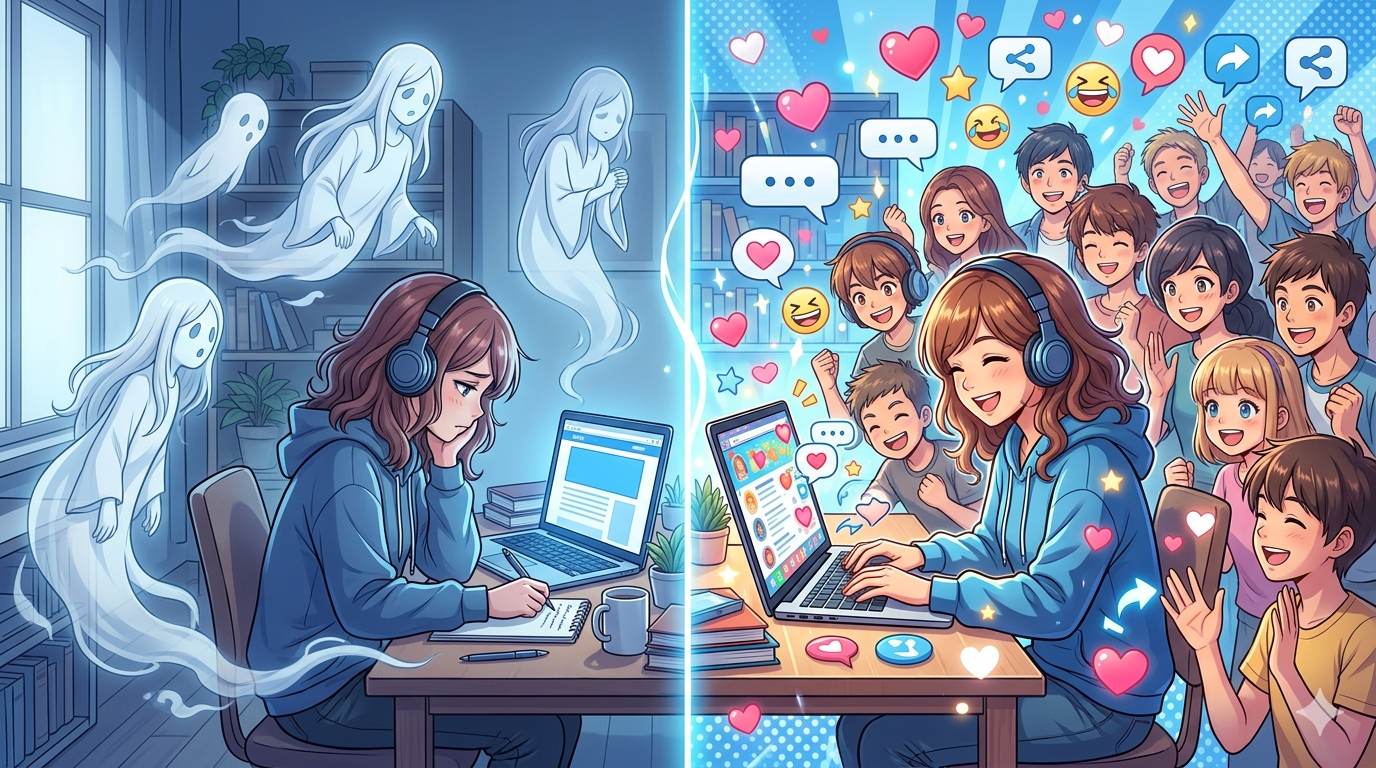
📘 TL;DR – What you’ll learn: Great content alone is not enough. Without engagement strategies, your readers stay passive. This cheat sheet gives you 10 proven ways to turn passive readers into an engaged community: write conversationally, ask specific questions, add internal links, end with a CTA, reply to comments, and more. Pick 2‑3 strategies, apply them, and watch your blog come alive.
🔥 The Ghost Town Problem
You research, write, edit, and publish. Then you wait. A few views trickle in, maybe a like or two. But comments? Zero. Shares? Nothing. You feel like you’re writing into a void – and it hurts, brother.
Here is the brutal truth: great content alone is not enough. Without user engagement strategies, your readers will stay passive. They will read, leave, and never return. But when you intentionally design your content for engagement, you turn strangers into fans, and fans into a loyal community.
This cheat sheet gives you 10 proven, beginner‑friendly strategies to skyrocket your blog’s engagement – starting today.
Before we dive in, understand the metrics that matter. My Audience Engagement Metrics guide shows you the 6 numbers that predict blog growth. And to make your content easier to read and engage with, check out User Experience for Beginners – it covers 7 UX mistakes that kill engagement.
📌 Real story – How one small change tripled my comments
For months, my blog averaged zero comments per post. I felt like I was talking to a wall. Then I learned to ask specific questions at the end of each post – not “What do you think?” but “Which of these 3 tips will you try first?” My comments went from 0 to 15 per post in two weeks. Same content, different engagement strategy. You can do this too.
⚠️ The #1 mistake that kills engagement: Treating your blog like a one‑way broadcast. If you never invite readers to participate, they won’t. Engagement is not accidental – it is designed.
✅ What Is User Engagement (And Why Should You Care)?
User engagement is how people interact with your blog: comments, time on page, clicks, shares, return visits, and email signups. High engagement tells Google your content is valuable, which improves your SEO. More importantly, engaged readers become loyal fans who trust you, share your work, and eventually become customers.
Engagement is not a vanity metric – it is the foundation of a sustainable blog.
📋 10 User Engagement Strategies That Actually Work (Cheat Sheet)
1
Write Like You Talk (Kill the Textbook Voice)
Formal writing creates distance. Conversational writing creates connection. Use “you.” Use contractions. Write short sentences. Imagine you are explaining your topic to a friend over coffee. The more human you sound, the more readers will feel like they know you – and they will engage.
Try this: Read your post out loud. If it sounds unnatural, rewrite it. Use Grammarly to polish your writing and keep it conversational.
2
Ask Specific, Easy‑to‑Answer Questions
Generic questions like “What do you think?” get ignored. Specific questions invite responses.
Examples: “Which of these 3 tips will you try first?” “Have you ever struggled with this?” “What would you add to this list?” Make it easy for readers to reply – no lengthy essays required.
3
Break Your Text into Scannable Chunks
No one reads long paragraphs on screens. Use short paragraphs (2‑4 sentences), subheadings, bullet points, and bold text. White space is your friend. When your content is easy to scan, readers stay longer – and staying longer is a form of engagement.
4
Add Internal Links to Related Posts
Every post should link to 2‑3 other posts on your blog. This keeps readers exploring your site instead of leaving after one article. More pages per session = higher engagement. Plus, internal links help your SEO. For a complete guide to structuring your content, read Categories in Blogger – it shows you how to organize your blog for better navigation.
5
End Every Post with a Clear Call to Action (CTA)
Do not leave readers hanging. Tell them exactly what to do next. Your CTA could be:
“Leave a comment below with your biggest takeaway.”
“Share this post with a friend who needs it.”
“Download my free checklist here.”
“Read the next post in this series.”
People follow instructions – if you give them.
6
Use Visuals to Reinforce Your Message
Images, GIFs, simple graphics, and screenshots break up text and make your post more memorable. A well‑placed image can illustrate a point better than words. Use free tools like Canva to create custom graphics. For a complete guide, read Visual Content for Bloggers – it shows you how to design Pinterest pins, blog graphics, and social media images.
7
Reply to Every Comment (Yes, Every Single One)
The fastest way to kill engagement is to ignore comments. When readers see you reply, they feel heard – and they are more likely to comment again. Plus, more comments signal to Google that your content is valuable.
Pro tip: Set up email notifications for new comments so you never miss one.
8
Create a “Start Here” Page for New Readers
First‑time visitors often feel overwhelmed. A “Start Here” page guides them to your best posts and explains what your blog is about. This increases the chance they will explore multiple pages and subscribe.
9
Invite Guest Posts or Reader Stories
When you feature readers’ stories or guest posts, you build a sense of community. Readers become contributors – and contributors become your biggest advocates. Start small: ask for a reader tip or experience related to your niche.
10
Use a Simple Engagement Tracking Tool
You cannot improve what you do not measure. Use free tools like Google Analytics to track time on page and bounce rate. Use Microsoft Clarity (free) to watch session recordings and see where readers click, scroll, or hesitate. Then adjust your strategies accordingly.
💡 Pro Tip: Do not try all 10 strategies at once. Pick 2‑3 that resonate with you. Apply them to your next 5 posts. Then add another. Small, consistent improvements compound into massive engagement growth.
❌ Common Engagement Mistakes That Kill Your Blog (Avoid These)
- Writing only for SEO, not for humans. Keyword‑stuffed content repels readers.
- Using complicated words to sound smart. Simplicity wins.
- Forgetting to invite readers to take action. No CTA = no engagement.
- Ignoring blog comments. Silence tells readers their voice does not matter.
- Not updating old posts. Broken links and outdated information frustrate readers.
🛠️ Free Tools to Track and Boost Engagement
- Google Analytics: Track time on page, bounce rate, and pages per session.
- Microsoft Clarity: Free heatmaps and session recordings. Watch how users actually interact with your blog.
- Google Search Console: See which posts get impressions and clicks.
- Canva: Create engaging visuals without design skills.
💡 The Brutal Truth (Read This Twice)
Most bloggers treat their blog like a one‑way megaphone. They broadcast their message and hope people will engage. But engagement is not accidental – it is designed. If you do not invite readers to participate, they won’t.
I went from zero comments to 15 per post just by asking specific questions. Same content. Same audience. Different strategy. That is the power of user engagement strategies.
You do not need a huge audience to start. You need to care enough to invite participation, reply to comments, and design your content for real people. That is what turns a ghost town into a community.
⚠️ Remember: Engagement is not a vanity metric – it is the foundation of a sustainable blog. When readers engage, they stay longer, trust you more, and eventually become customers. Invest in engagement.
📅 Your 7‑Day Engagement Launch Plan
- Day 1: Pick 2‑3 strategies from this cheat sheet.
- Day 2: Rewrite your last post’s conclusion with a specific CTA.
- Day 3: Add internal links to 3 older posts.
- Day 4: Reply to every existing comment on your blog (if any).
- Day 5: Write your next post using short paragraphs and a conversational tone.
- Day 6: Create one visual in Canva for that post.
- Day 7: Publish and track engagement for 2 weeks. Adjust based on results.
In one month, your blog will feel like a community – not a ghost town.
🙋 Frequently Asked Questions
How long does it take to see results from engagement strategies?
Some results (like increased comments) appear immediately. Significant changes in time on page and return visitors usually take 2‑4 weeks.
Do I need a large audience to get engagement?
No. Small, engaged audiences are more valuable than large, passive ones. Start with the readers you have – even if it is 10 people.
What if nobody comments even after I ask questions?
Answer your own question in the comments first. Sometimes readers need a model. Also, consider that your niche might be less conversational – focus on other engagement metrics like time on page and shares.
Is engagement more important than SEO?
They work together. Engagement signals to Google that your content is valuable, which improves SEO over time. Do both.
🎤 Final Thoughts: Engagement Is a Practice, Not a Hack
You now have 10 powerful user engagement strategies. But a cheat sheet means nothing if you do not use it. Pick one strategy today. Apply it to your next post. Then pick another. Small steps, done consistently, will transform your blog from a quiet corner of the internet into a thriving community.
The bloggers who succeed are not the most talented. They are the ones who care enough to invite participation, reply to comments, and design their content for real people. That can be you.
Start today. Your readers are waiting.
You have got this, brother. 🚀
👉 Ready to turn your ghost town blog into a thriving community? Track your engagement for free with Microsoft Clarity. See where readers click, scroll, and leave. Fix what’s broken. Start engaging.