Blogging Without a Budget: How to Start a Blog for Free in 2026
📘 TL;DR – What you’ll learn: You don’t need a credit card or hosting fees to start a blog. This guide shows you how to create a free blog on Blogger, write posts, get traffic from Pinterest and Facebook groups, and even make money with affiliate marketing – all for $0. Stop waiting. Start today.
🔥 The Lie That Keeps You Stuck
Let me guess, brother. You want to start a blog. But every guide you read says “buy hosting for $5/month” and “get a custom domain for $15/year.” And you’re thinking: I don’t even have that.
I get it. I was there too. Broke, overwhelmed, and convinced that blogging was only for people with money to burn.
Here’s what nobody tells you: Blogging without a budget is 100% real. Thousands of bloggers started exactly where you are — zero dollars, zero equipment, zero experience. And they built something meaningful. You can too. Let me show you exactly how.
Before you start, make sure you understand how to set up your free blog. My How to Start a Blog on Blogger guide walks you through every click. And if you need content ideas that cost nothing to research, 21 Blogging Ideas for Students gives you 21 fun topics to write about.
📌 Real story – Amina started with $0 and built a blog that pays her bills
Amina was a university student in Egypt. She wanted to blog about affordable study tips, but she couldn’t afford hosting. She didn’t even have a laptop — just her phone. She started on Blogger (free). She wrote one post a week about cheap productivity tools. She used free tools: Canva for images, Ubersuggest for keywords, Pinterest for traffic. Eight months later? Her blog gets 12,000 monthly visitors. She earns $600/month from Amazon affiliate links. She never spent a single dollar. Not on hosting. Not on a domain. Not on courses.
You don’t need money. You need a plan. Here’s yours.
⚠️ The #1 lie keeping you stuck: “You need to invest money to make money blogging.” False. You need to invest time, consistency, and a willingness to learn. The money comes later — naturally.
✅ What “Blogging Without a Budget” Really Means
It means leveraging free resources — platforms, tools, traffic sources — to build a blog that looks professional and grows over time. No shortcuts. No magic. Just smart, free strategies.
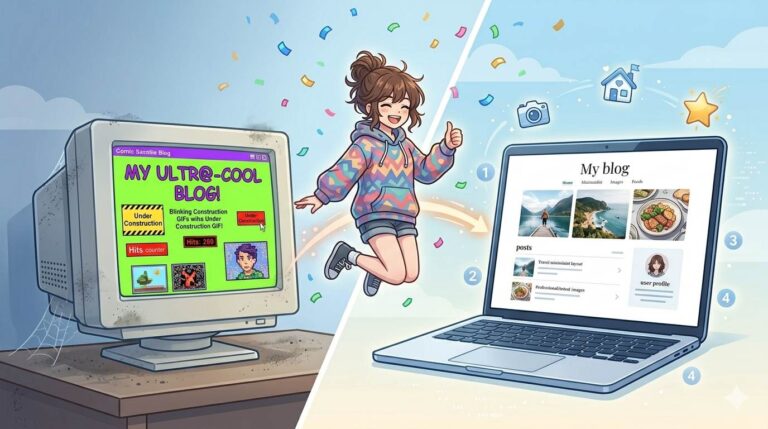
You won’t own a custom domain at first. Your URL will have “.blogspot.com” or “.wordpress.com” in it. And that’s fine. Amina used a free domain for eight months before she bought one. By then, she already had readers.
Start free. Upgrade later when you actually have money coming in. That’s the smart way.
📋 Step 1: Choose Your Free Platform (Don’t Overthink)
| Platform | Best For | Free Forever? |
|---|---|---|
| Blogger.com | Absolute beginners | ✅ Yes |
| WordPress.com | More features, but free version has ads | ✅ Yes (with limits) |
| Medium.com | Pure writing, no design | ✅ Yes |
My recommendation for you: Start with Blogger. It’s the simplest, most reliable, and you can monetize it easily. No hosting fees. No hidden costs. Just a Google account.
📝 Step 2: Pick a Niche That Excites You (Not Just “Profitable”)
You’ll write dozens of posts. If you hate your niche, you’ll quit. If you love it, you’ll keep going.
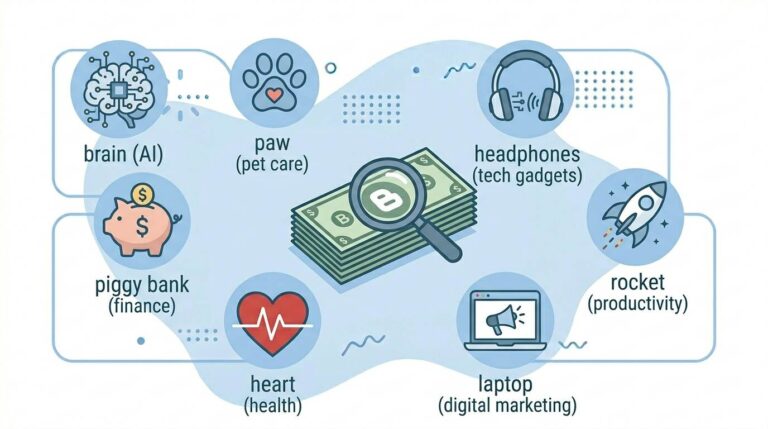
Good free‑blogging niches: Budget living tips, Student money hacks, Simple recipes (5 ingredients), Personal productivity, Mental health journalling, Beginner fitness (no gym required), Pet care tips.
🛠️ Step 3: Set Up Your Free Blog (15 Minutes)
- Go to blogger.com (sign in with Google)
- Click “Create Blog”
- Choose a blog name and free URL (e.g., mybudgetjourney.blogspot.com)
- Pick a simple, clean theme (Contempo or Simple work great)
- Add a few essential pages: About, Contact
- Create a free logo in Canva (takes 5 minutes)
Stop tweaking design. Your first priority is writing. Not colors. Not fonts. Words on a page.
✍️ Step 4: Write Your First Post (The “Zero‑Budget Way”)
Don’t overthink. Just start.
First post ideas: “Why I Started Blogging with $0 (And How You Can Too)”, “5 Things I Wish I Knew Before Starting My Free Blog”, “How to Start a Blog Without Spending a Dime in 2026”.
Structure your post: Catchy headline → short intro → subheadings (H2, H3) → short paragraphs → bullet points → a question at the end.
🎨 Step 5: Use Free Tools (They’re Powerful)
- Writing & Editing: Grammarly (free), Hemingway App, ChatGPT (free version)
- Images & Design: Canva (free), Unsplash / Pexels (free stock photos)
- SEO & Keywords: Ubersuggest (free tier works), Google Trends
- Organization: Notion or Trello, Google Docs
🔍 Step 6: Basic SEO (So Google Finds You)
You wrote a great post. But if Google can’t find it, nobody will read it. Do these 3 things for every post:
- Use your main keyword in the title, first paragraph, and at least one subheading.
- Add alt text to every image – describe the image in 5‑10 words, include your keyword naturally if it fits.
- Link to your own posts – internal links help Google understand your site.
🚀 How to Get Traffic Without Spending Money
You don’t need ads. You need these free traffic sources:
- Pinterest – Create a pin in Canva, link to your post. Pinterest sends free traffic for months.
- Facebook Groups – Join groups in your niche. Answer questions. Share your post only when it genuinely helps someone.
- Quora – Find questions related to your post. Write a helpful answer. Link to your blog naturally.
- Reddit – Same strategy as Quora. Add value first. Link second.
- Comment on other blogs – Leave thoughtful comments. Some people will click through to your blog.
For a complete playbook, read 8 Free Traffic Strategies – it covers Pinterest, Quora, Facebook groups, and more.
💰 How to Make Money from a Free Blog (Yes, It’s Real)
You can earn money without spending a dollar. Here’s how (in order of difficulty):
- Affiliate marketing – Join Amazon Associates or ShareASale. Recommend products you trust. Earn commissions. Amina does this.
- Google AdSense – Once you have traffic, apply for AdSense. Blogger integrates easily.
- Sponsored posts – Brands will pay you to mention their products. Requires some traffic first.
- Digital products – Create a simple PDF guide in Canva. Sell it on Gumroad (free to list).
The key? Focus on helping people first. Monetization follows trust.
❌ Common Mistakes That Kill Free Blogs (Avoid These)
- ❌ Trying to cover everything – Pick a niche. Stick to it.
- ❌ Copying other blogs – Be you. Your voice is unique.
- ❌ Ignoring SEO – If Google can’t find you, nobody will.
- ❌ Quitting after 5 posts – Blogging takes months. Be patient.
- ❌ Obsessing over design – Content is king. Publish first. Polish later.
- ❌ Expecting money in week one – That’s not how this works. Build trust first.
💡 The Brutal Truth (Read This Twice)
Most beginners think they need money to start a blog. They wait months, save up, buy hosting and a domain, and then… never write a single post. Meanwhile, Amina started with $0 and built a blog that pays her bills.
You don’t need money. You need consistency. One post per week for six months. That’s it. That’s the secret. Not fancy design. Not expensive tools. Just showing up, week after week, with helpful content.
Stop waiting. Start today. Your future readers are out there.
⚠️ Remember: A free blog with great content beats a paid blog with no content every time. Start free. Grow later.
📅 Your 30‑Day Zero‑Budget Blogging Plan
- Week 1: Pick your niche + create free Blogger blog + write “About Me” page.
- Week 2: Write and publish your first post.
- Week 3: Create 2 Pinterest pins for your post in Canva + share on Pinterest.
- Week 4: Join 2 Facebook groups in your niche + introduce yourself + write second post.
- Month 2‑3: Publish 1‑2 posts weekly. Share every post on Pinterest. Engage in groups.
- Month 4‑6: Apply for Amazon Associates. Add affiliate links naturally. Watch traffic grow.
- Month 7‑12: Apply for AdSense. Consider buying a custom domain ($12/year) if you have traffic.
After 12 months, you’ll have a blog with real traffic and real income potential. $0 spent. Zero excuses.
🙋 Frequently Asked Questions
Is a free blog professional enough?
Yes — with a clean theme, good writing, and a custom logo (Canva), your free blog can look very professional.
Can I switch to a custom domain later?
Absolutely. On Blogger, you can buy a domain later and connect it. Your content stays.
How long until I see traffic?
3‑6 months with consistent posting. SEO takes time. Use analytics to track what works.
Do I need a laptop?
No. You can blog entirely from your phone. It’s free.
Can I really make money without spending anything?
Yes. Affiliate marketing, AdSense, and digital products don’t require upfront investment. But they do require traffic and trust.
🎤 Final Words: You Have Everything You Need
Blogging without a budget isn’t a fantasy. It’s how thousands of successful bloggers started — including me, including Amina, including countless others you’ve never heard of.
You don’t need money. You need:
- A free platform (Blogger)
- A niche you care about
- Free tools (Canva, Grammarly, Ubersuggest)
- Consistency (one post per week)
- Patience (results take months, not days)
That’s it. That’s the recipe.
So here’s your first step: Open Blogger right now. Create your blog. Write your first headline. Then fill in the blanks.
Your future readers are waiting. You’ve got this, brother. 💪
👉 Ready to start your blog for free – right now? Create your free Blogger blog. No credit card. No hosting fees. No domain needed. Takes 5 minutes. Start today.