Privacy Policy Page: The One Page Google Demands (2026)

📘 TL;DR – What you’ll learn: You cannot run ads, build an email list, or grow your blog without a Privacy Policy page. Google demands it. This guide shows you exactly why you need one, what to include, and how to create one in 5 minutes using a free generator. No lawyer needed. No stress. Just action.
🔥 The Invisible Wall Blocking Your Growth
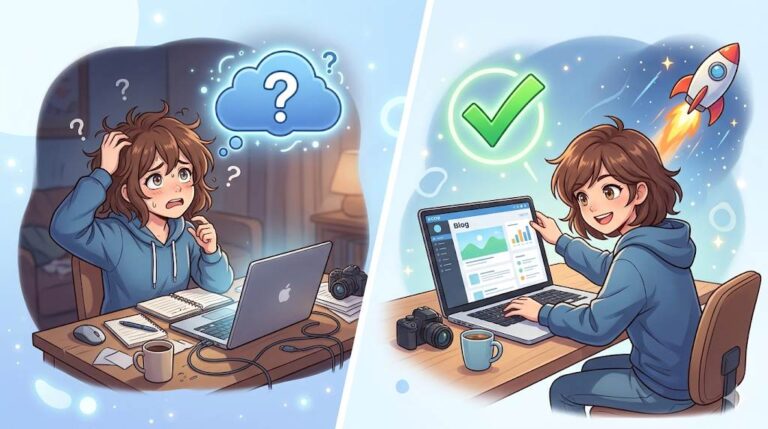
You have worked hard on your blog, brother. You write helpful posts. You share them everywhere. Then you apply for Google AdSense. Rejected. You try again. Rejected. You have no idea why.
Here is the reason most beginners never figure out: you are missing one page. One simple, legal page that Google demands before they show ads on your site. Without it, no AdSense approval. Without it, you could even face fines.
That page is your privacy policy page. In 2026, it is not optional. It is not just for “big blogs”. It is for anyone who collects any visitor data – which is every blog that uses Google Analytics, email forms, or ads.
In this guide, I will show you exactly what a privacy policy page is, why Google demands it, and how to create one in 5 minutes – for free. No lawyer needed. No stress. Just action.
Before we dive in, understand that a Privacy Policy is part of building trust with your audience. My How to Add Pages in Blogger guide shows you how to create and publish pages on your blog. And to track your blog’s performance once you’re approved for AdSense, set up Google Search Console for Blogger – it’s free and shows you how Google sees your site.
📌 Real story – Nadia was rejected by AdSense 3 times before fixing this
Nadia had a beautiful blog about healthy recipes. She applied for Google AdSense three times. Rejected every time. No clear reason. She almost gave up. Then a friend asked: “Do you have a privacy policy page?” Nadia did not even know what that was. She created one in 10 minutes using a free generator. She added the link to her footer. She reapplied. Approved in 3 days. One missing page had blocked her for months. Do not let that be you.
⚠️ The #1 reason AdSense rejects new blogs: Missing or incomplete privacy policy page. Google requires transparency before showing ads. Without this page, you will never get approved.
✅ What Is a Privacy Policy Page?
A privacy policy page is a page on your blog that tells visitors exactly what information you collect from them and how you use it.
It sounds technical. It is not. It is simply you being honest. You are saying: “Hey, I might collect your email if you subscribe. I use cookies to track visits. Here is what I do with that data – and here is how you can contact me to remove it.”
That is it. No legal degree required. No scary paragraphs.
📊 Why Google Demands This Page (And Why You Should Care)
Google has rules. If you want to show AdSense ads on your blog, you must follow them. One of the most important rules is: you must have a publicly accessible privacy policy page.
Here is what happens if you do not have one:
- ❌ AdSense rejects your application – every time.
- ❌ You risk fines under laws like GDPR (Europe) and CCPA (California).
- ❌ Your blog looks unprofessional – visitors may not trust you.
- ❌ Affiliate programs may deny your application.
But with a privacy policy page:
- ✅ AdSense approval becomes possible.
- ✅ You build trust with your readers.
- ✅ You stay legally safe.
- ✅ You look professional and serious.
For more on building reader trust, read User Engagement Strategies – it covers how trust and transparency drive engagement.
📋 What to Include in Your Privacy Policy Page (Simple List)
You do not need to write a novel. Just cover these basics:
- What information you collect – emails (if you have a signup form), cookies (from Google Analytics or ads), IP addresses.
- How you use it – to send newsletters, improve your blog, or show relevant ads.
- Whether you share it – with third parties like Google, email service providers, or ad networks.
- How visitors can contact you – your email address or contact form link.
- How they can request data deletion – a simple sentence like “Email us to remove your data.”
🛠️ How to Create a Privacy Policy Page in 5 Minutes (Free)
Step 1 – Use a Free Privacy Policy Generator
Go to TermsFeed or PrivacyPolicies.com. These tools ask you simple questions: Do you collect emails? Do you use cookies? Do you use Google AdSense? Where is your blog located? Answer honestly. The tool generates a complete privacy policy page for you.
Step 2 – Copy the Text
The generator gives you a block of text – sometimes long, sometimes short. Copy all of it.
Step 3 – Add It to Your Blog
On Blogger: Go to Pages → New Page → Title it “Privacy Policy” → Paste the text → Publish.
On WordPress: Go to Pages → Add New → Title “Privacy Policy” → Paste → Publish.
For a complete guide to creating pages on Blogger, read How to Add Pages in Blogger – it covers the step‑by‑step process.
Step 4 – Add the Link to Your Footer
Make it easy for visitors (and Google) to find. On most platforms, you can add a footer menu. Include “Privacy Policy” there. If you cannot, add it as a text link in your footer widget.
💡 Pro Tip: Do not copy someone else’s privacy policy. Laws differ by country. The tools above generate one specifically for your situation – free and safe.
❌ Common Mistakes That Get You Rejected (Avoid These)
- ❌ No privacy policy at all – Instant rejection.
- ❌ Copying someone else’s without editing – Their information may be wrong for you.
- ❌ Hiding the page – Google needs to find it. Link it in your footer.
- ❌ Forgetting to mention tools you use – If you use Google Analytics, say so.
- ❌ No contact information – Add your email or a contact page link.
Use Grammarly to polish your Privacy Policy text and Canva to design a professional header image for the page if you want.
❓ Do I Really Need a Privacy Policy If My Blog Is Small?
Yes. The size of your blog does not matter. The law applies to you the moment you collect data from visitors – even if you only have 10 monthly visitors.
If you use:
- Google Analytics (or any visitor tracking)
- An email signup form
- Comments section (which stores IP addresses)
- AdSense or any ads
- Cookies (almost every blog uses them)
Then you need a privacy policy page. It takes 5 minutes. No excuse.
💡 The Brutal Truth (Read This Twice)
Most beginners skip the Privacy Policy because they think it’s unnecessary or complicated. Then they wonder why their AdSense application gets rejected. Or worse – they get fined for non‑compliance.
A Privacy Policy page is not optional. It is a legal requirement if you use cookies, analytics, or affiliate links. It takes 10 minutes to create using a free generator. There is no excuse to skip it.
Nadia was rejected three times – all because of a missing page. She fixed it in 10 minutes and got approved in 3 days. Do not waste months like she did. Create your privacy policy today. Add it to your footer. Then apply for AdSense, join affiliate programs, and grow your blog with confidence.
⚠️ Remember: A Privacy Policy protects you, your readers, and your blog. It is not a “nice to have” – it is a must‑have. Create it now.
📅 Your 10‑Minute Privacy Policy Action Plan
- Step 1: Open a free privacy policy generator (TermsFeed or PrivacyPolicies.com).
- Step 2: Answer the questions honestly.
- Step 3: Copy the generated text.
- Step 4: Create a new page on your blog titled “Privacy Policy”.
- Step 5: Paste the text. Publish.
- Step 6: Add the page link to your blog footer.
- Step 7: Reapply to AdSense if you were rejected before.
That is it. You are now legal, professional, and ready to earn.
🙋 Frequently Asked Questions
Will a privacy policy page guarantee AdSense approval?
No, but it is required. Without it, you will never be approved. With it, you meet one of Google’s mandatory requirements.
Can I use the same privacy policy for multiple blogs?
No. Each blog should have its own, with its own URL and specific information.
Do I need to update my privacy policy?
Yes, if you add new tools (like a new email service or ad network). Update it once a year to be safe.
Is a free generator legally valid?
For most small blogs, yes. If you run a large business, consult a lawyer. For beginners, free generators are sufficient.
🎤 Final Thoughts: One Page Opens Many Doors
A privacy policy page is not scary. It is not just legal paperwork. It is your key to AdSense approval, reader trust, and professional credibility.
Nadia was rejected three times – all because of a missing page. She fixed it in 10 minutes and got approved in 3 days. Do not waste months like she did.
Create your privacy policy today. Add it to your footer. Then apply for AdSense, join affiliate programs, and grow your blog with confidence.
You have got this, brother. 🛡️
👉 Ready to create your privacy policy page in 5 minutes? Use a free generator (TermsFeed recommended). Answer 4 questions. Copy the text. Paste it to your blog. Done.