WordPress vs Blogger: The Winner Might Surprise You (2026)
This post contains affiliate links.
📘 TL;DR – What you’ll learn: Blogger is free and simple, perfect for hobby blogs. WordPress (self‑hosted) costs $5‑10/month but gives you full control, unlimited plugins, better SEO, and limitless monetization. If you are serious about growing a blog into a brand or business, choose WordPress. If you just want a personal journal, Blogger works. This guide breaks down the differences so you can decide once and for all.
🔥 The Decision That Stops Most Beginners
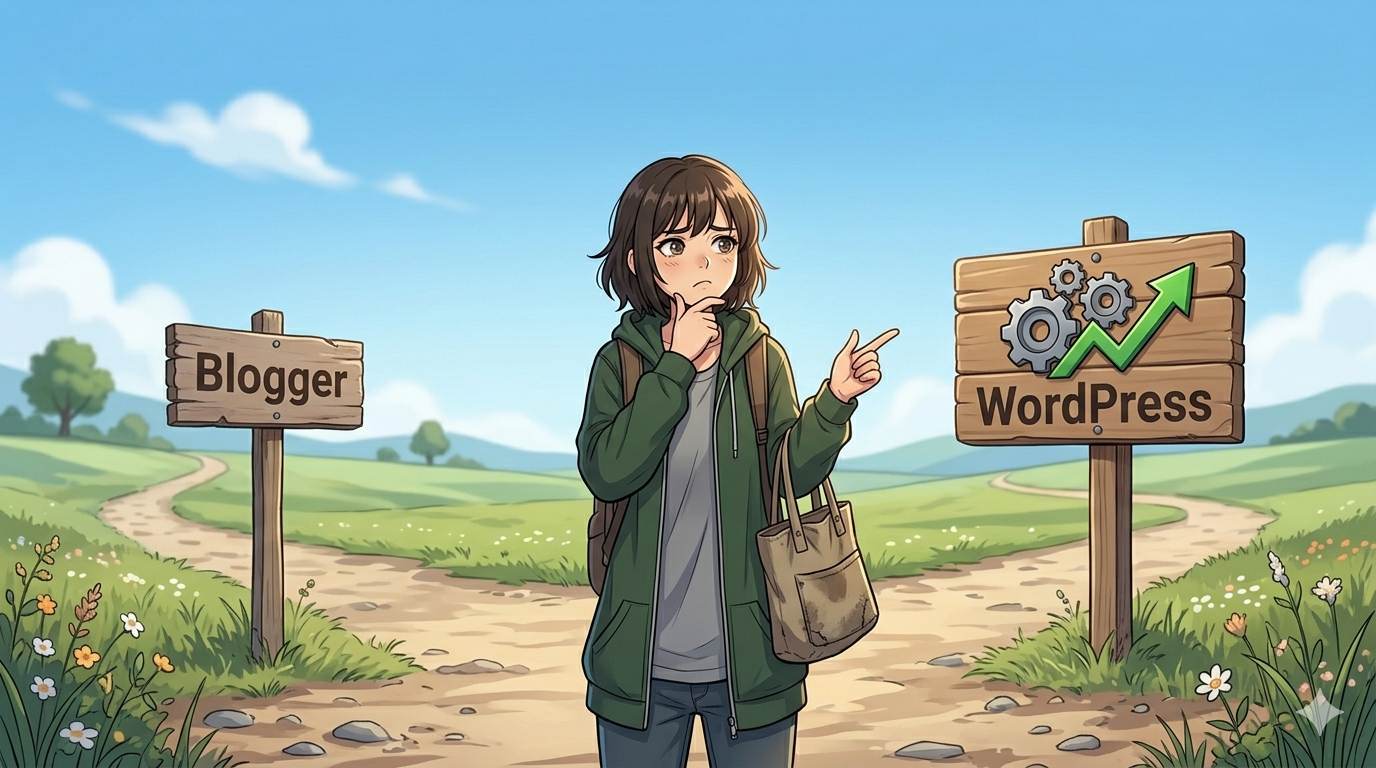
You have the idea. You have the passion. You are ready to share your voice with the world. But one question stops you cold: should you start with Blogger or WordPress, brother?
I have been there. The endless articles, the conflicting advice, the fear of choosing wrong and regretting it later. It is exhausting.
Here is the truth: both platforms can work. But they work for very different people. Choose the wrong one, and you will hit walls – limited features, poor SEO, or a steep learning curve that makes you want to quit.
In this guide, I will break down the WordPress vs Blogger debate once and for all. No bias. No hype. Just honest facts to help you decide based on your goals, not someone else’s. Let us go.
Before you decide, understand your long‑term goals. If you want to monetize your blog, read Blog Monetization – WordPress gives you far more options. And if you choose WordPress, my How to Install WordPress on Bluehost guide walks you through setup in 20 minutes.
📌 Real story – Youssef started with Blogger, then regretted it
Youssef wanted to build a blog about digital marketing. He chose Blogger because it was free and easy. Within three months, he had 20 posts and decent traffic. But then he wanted to add an email popup, optimize his SEO further, and install a contact form. He could not. Blogger does not support plugins. He spent weeks trying to hack his way around the limitations. Eventually, he moved to WordPress. The migration was painful. He lost some SEO rankings and wasted hours. If he had started with WordPress from day one, he would have saved months of frustration.
⚠️ The #1 mistake beginners make: Choosing a platform based only on price, not on long‑term goals. Free is tempting, but it can cost you more later – in time, stress, and missed opportunities.
✅ What Are WordPress and Blogger? (Simple Definitions)
Blogger is a free blogging platform owned by Google. You sign up with your Google account, choose a template, and start writing. Your blog lives on a free Blogspot subdomain (e.g., yourblog.blogspot.com). Google handles all the technical stuff – hosting, security, backups. It is simple, fast, and beginner‑friendly. Think of it as renting a small apartment: you move in quickly, but you cannot change the walls or add a new room.
WordPress (self‑hosted) is open‑source software you install on your own hosting. You buy a domain ($10‑15/year) and hosting ($5‑10/month). You control everything – design, features, monetization, and your data. Think of it as owning a house: more responsibility, but unlimited possibilities. WordPress powers over 43% of all websites on the internet.
📊 WordPress vs Blogger: The Head‑to‑Head Comparison
1. Ease of Use – Winner: Blogger (for absolute beginners)
Blogger is incredibly simple. Sign in with Google, pick a template, and write. No technical knowledge required. WordPress has a learning curve. You need to understand hosting, domains, themes, and plugins. But once you learn it, it becomes second nature.
2. Design and Customization – Winner: WordPress
Blogger offers basic templates. You can change colors and fonts, but options are limited. WordPress offers thousands of free and premium themes. You can customize every pixel – or hire a designer to create something unique.
3. Plugins and Features – Winner: WordPress (by a landslide)
Blogger has no plugins. What you see is what you get. Want an SEO tool? Cannot add it. Want a contact form? Cannot add it. Want an email popup? Cannot add it. WordPress has over 60,000 free plugins. You can add SEO tools, analytics, email marketing forms, social share buttons, security features, e‑commerce stores, and hundreds of other features with a few clicks. This is the single biggest difference between the two platforms.
4. SEO – Winner: WordPress
Blogger handles basic SEO. You can edit titles, meta descriptions, and URLs. But advanced optimization is limited. WordPress, combined with plugins like Yoast SEO or Rank Math, gives you complete control. You can optimize every post, generate XML sitemaps, control breadcrumbs, add schema markup, and improve your chances of ranking on Google.
5. Monetization – Winner: WordPress
Blogger supports Google AdSense out of the box. You can also add affiliate links manually. But that is it. No advanced ad management, no membership sites, no e‑commerce stores. WordPress has unlimited monetization options: affiliate marketing, display ads, selling digital products, online courses, membership subscriptions, and full e‑commerce stores (with WooCommerce). If your goal is to make money blogging, WordPress is the clear choice.
6. Ownership and Control – Winner: WordPress
On Blogger, Google owns your content. Your blog exists on their servers. If they decide to shut down your account (rare, but possible), you lose everything. On self‑hosted WordPress, you own everything – your domain, your content, your data. No one can take it from you.
7. Cost – Tie (depends on your goals)
Blogger is 100% free. WordPress requires hosting ($5‑10/month) and a domain ($10‑15/year). For a hobby blogger, free is attractive. For someone serious about building a brand or business, $60‑$150 per year is a small investment for full control and unlimited potential. (If you choose WordPress, Bluehost offers plans starting at $2.95/month with a free domain.)
For a deeper dive into free blogging options, read Blogging Without a Budget – it covers how to start for $0, but with full awareness of the trade‑offs.
📋 Quick Comparison Table
| Feature | Blogger | WordPress (self‑hosted) |
|---|---|---|
| Cost | Free | $5‑10/month (hosting) |
| Ease of use | ⭐⭐⭐⭐⭐ (very easy) | ⭐⭐⭐ (learning curve) |
| Design options | Basic templates | Thousands of themes + full customization |
| Plugins | None | 60,000+ free plugins |
| SEO control | Basic | Advanced (via plugins) |
| Monetization | Limited (AdSense + affiliate links) | Unlimited (ads, affiliates, e‑commerce, courses) |
🎯 Which Platform Should YOU Choose? (Honest Advice)
Choose Blogger if:
- You want to blog as a hobby or personal journal.
- You have zero budget and cannot afford hosting.
- You do not care about advanced features, SEO, or making money.
- You just want to write and publish quickly – no technical headaches.
- You are testing an idea and might not continue long‑term.
Choose WordPress if:
- You are serious about growing a blog into a brand or business.
- You want to make money from your blog (ads, affiliates, products).
- You care about SEO and want full control over your rankings.
- You want to customize your design and add features with plugins.
- You want to own your content and not rely on a free platform.
- You are willing to invest a small amount of money ($60‑$150/year).
💡 My honest advice: If you are even slightly considering making money from your blog or growing it into something bigger, start with WordPress. Youssef regretted starting with Blogger. Switching platforms later is painful and can hurt your SEO. Start right the first time.
💡 The Brutal Truth (Read This Twice)
Most beginners choose Blogger because it is free. They think, “I can always switch later.” But switching is a nightmare. You lose SEO rankings. You lose backlinks. You spend weeks migrating content and fixing broken links. Youssef wasted months of progress because he started on the wrong platform.
The WordPress vs Blogger decision is not just about today. It is about where you want to be in one year, two years, or five years. If you have any ambition – to build a brand, earn income, or reach a large audience – WordPress is the superior choice. It gives you control, flexibility, and unlimited room to grow.
⚠️ Remember: Over 43% of all websites use WordPress. The vast majority of professional bloggers and businesses choose it for a reason. Invest in your foundation now, or pay for it later.
📅 Your Decision Roadmap (30 Minutes)
- Step 1: Ask yourself – is this a hobby or a future business?
- Step 2: If hobby only → choose Blogger. If any chance of growth → choose WordPress.
- Step 3: For WordPress, buy hosting (Bluehost, SiteGround, or Hostinger) and a domain.
- Step 4: Install WordPress (most hosts offer 1‑click install).
- Step 5: Pick a free theme. Install Yoast SEO plugin.
- Step 6: Write your first post. Hit publish.
That is it. You are now a blogger.
🙋 Frequently Asked Questions
Can I move from Blogger to WordPress later?
Yes, but it is not fun. You need to export your content, set up redirects, and rebuild your design. Some SEO rankings may drop temporarily. It is better to start with WordPress if you think you might ever want to grow.
Is WordPress really free?
The WordPress software is free. But you need hosting (starting at $5/month) and a domain ($10‑15/year). Consider it a small investment in your online presence.
Is Blogger good for SEO?
Blogger can rank, but you have less control. WordPress with SEO plugins gives you a significant advantage.
Can I use a custom domain on Blogger?
Yes. You can buy a domain and connect it to your Blogger blog. This makes your blog look more professional.
Which platform do professional bloggers use?
Over 43% of all websites use WordPress. The vast majority of professional bloggers and businesses choose WordPress.
🎤 Final Thoughts: One Decision, Your Entire Blogging Journey
The WordPress vs Blogger choice is not just about today. It is about where you want to be in one year, two years, or five years. Youssef wished he had started with WordPress. Do not make his mistake.
Blogger is a great tool for simple, hobby blogs. But if you have any ambition – to build a brand, earn income, or reach a large audience – WordPress is the superior choice. It gives you control, flexibility, and unlimited room to grow.
You have the passion. You have the ideas. Now choose the right foundation. Then go build something amazing.
You have got this, brother. 🚀
👉 Ready to start your blog on the right platform? Get WordPress hosting (starting at $2.95/month with Bluehost). Free domain included. 30‑day money‑back guarantee. Start your serious blog today.