Blogger SEO Optimization: Get Free Traffic Without Ads (2026)

📘 TL;DR – What you’ll learn: Blogger SEO optimization is how you get free traffic without ads. This guide walks you through 9 simple steps: pick a clear niche, find keywords people search for, use them in the right places, write helpful content, create click‑worthy titles, add internal links, choose a fast theme, submit your sitemap, and stay consistent. No tech skills needed – just action.
🔥 The Silence After Publishing
Let me be real with you, brother. Starting a blog on Blogger is exciting. But after you hit publish… crickets. No traffic. No Google rankings. No idea what went wrong. Sound familiar? If you’re wondering why your posts aren’t showing up in search results — or how to fix that — you’re in the right place.
In this guide, I’ll show you how to do Blogger SEO optimization the easy way. No tech skills needed. No confusing words. Just simple steps to help your blog get seen. Let’s do this together.
Before we dive in, understand the foundation of SEO on Blogger. My SEO Checklist for Beginners guide covers the 10 steps every beginner needs. And to get your blog indexed faster, set up Google Search Console for Blogger – it’s free and shows you exactly how Google sees your site.
📌 Quick truth: Most Blogger blogs fail not because Blogger is weak — but because SEO basics are ignored. Blogger might be basic, but Google still takes it seriously. If you follow the right steps, your Blogger blog can show up in search results just like any other site.
✅ First Things First: What Is Blogger SEO Optimization?
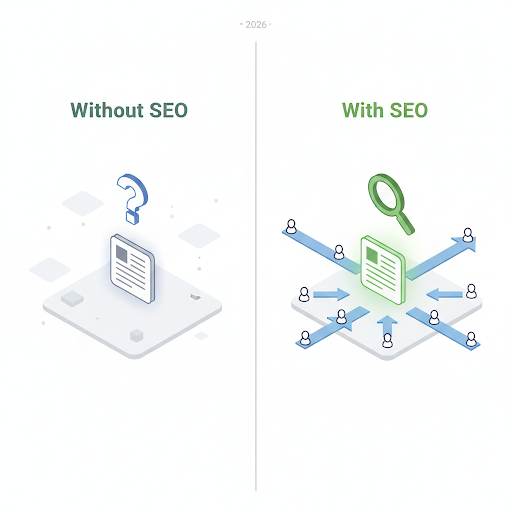
Let’s keep it simple. SEO means making your blog easier for Google to find and understand. So when someone searches for something related to your content — your blog has a shot at showing up. Blogger SEO optimization just means doing that on the Blogger platform. It’s how people will find you without you needing to post on social media every day.
📊 Can You Really Do SEO on Blogger?
Yes. 100%. Most Blogger blogs fail not because Blogger is weak — but because SEO basics are ignored. Blogger might be basic, but Google still takes it seriously. If you follow the right steps, your Blogger blog can show up in search results just like any other site.
🧠 Here’s How SEO Works (The Simple Version)
Think of your blog like a book in a giant library. Google is the librarian. SEO is how you help that librarian understand what your book (blog post) is about — so they know who to show it to. When you get it right, your blog doesn’t just sit in the back. It gets placed right where people can see it.
📋 How to Do Blogger SEO Optimization (Step‑by‑Step)
You don’t need to do everything at once. Start with these simple steps.
1. Pick One Topic to Focus On
Don’t try to blog about everything. Stick to one main topic — like cooking, parenting, tech, travel — whatever you enjoy. Google likes blogs that have a clear focus. Readers do too. For a complete guide to choosing your topic, read Categories in Blogger – it shows you how to organize your content around clear themes.
Example: If your blog is all about food, don’t suddenly post about your favorite phone apps.
2. Use Keywords People Actually Search For
Before you write, ask: “What would someone type into Google to find this post?” That’s your keyword.
Use free tools like: Google Search suggestions, Ubersuggest, Google Trends. Then write a post that clearly answers that search.
3. Put That Keyword in the Right Spots
Once you know your keyword, use it in: the blog post title, the first paragraph, a few subheadings, the custom URL (you can edit this in Blogger), image alt text, and your meta description. But don’t force it. Write naturally — like you’re having a conversation.
4. Write Like You’re Helping a Friend
This is where a lot of people mess up. Don’t try to sound smart. Don’t write like a textbook. Just be helpful. Be real. Make it feel like a chat. People trust people — not robots. Use Canva to create visuals that support your content and make it more engaging.
5. Make Your Titles Click‑Worthy
Your blog title is the first thing people see on Google. Make it interesting.
❌ “SEO Tips”
✅ “Blogger SEO Optimization: The Easy Way to Get More Readers”
Your title should make someone want to click.
6. Link to Your Other Blog Posts
Let’s say you’ve written a few blog posts already. Great! Start linking between them. If you’re writing a new post about SEO, link to your older post about site speed or blogging mistakes. This helps Google understand your content better and keeps readers on your site longer.
7. Use a Clean, Fast Theme
People leave slow, messy blogs. So do search engines. Choose a simple, mobile‑friendly theme on Blogger. Keep your design clean and easy to read. Compress big images before uploading them (you can use TinyPNG). Fast + clean = better SEO.
8. Submit Your Blog to Google
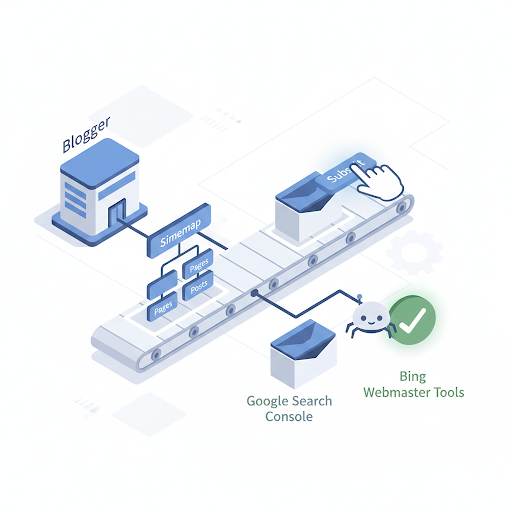
Don’t wait for Google to find you on its own. Go to Google Search Console, add your Blogger site, and submit your sitemap (usually: yourblog.blogspot.com/sitemap.xml). This tells Google your blog exists and gets your posts indexed faster. (Follow the Search Console guide linked above for step‑by‑step instructions.)
9. Keep Writing. Don’t Stop.
One post won’t make you go viral. SEO takes time. But if you keep writing helpful content, stay consistent, and follow the steps above — your traffic will grow. One good post can bring in traffic for months or even years.
❌ Common Mistakes to Avoid
- Don’t copy content from other blogs
- Don’t spam your keywords
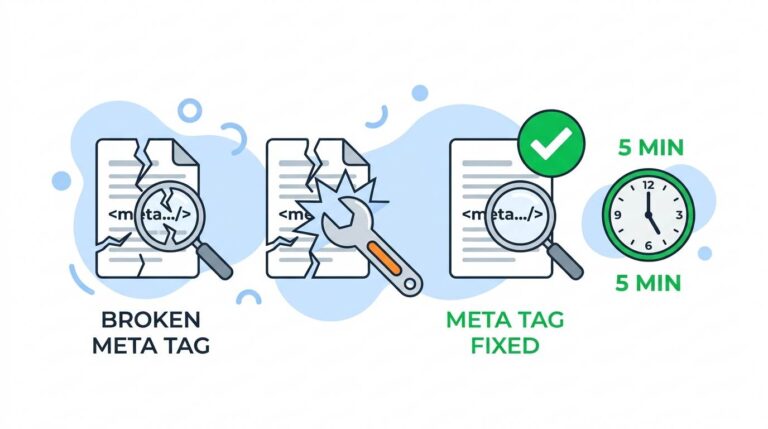
- Don’t skip adding meta descriptions
- Don’t post once and disappear for months
- Don’t expect instant results
💡 The Brutal Truth (Read This Twice)
Most Blogger users never get traffic because they ignore SEO basics. They write great posts, but Google never finds them. Why? Because they didn’t use the right keywords, didn’t add internal links, didn’t submit their sitemap, and didn’t optimize their titles.
Blogger SEO optimization is not complicated. It’s a set of simple habits. Pick a clear niche. Use keywords. Write helpful content. Link to your own posts. Submit your sitemap. Do these things consistently, and your traffic will grow. Skip them, and your best posts will stay invisible.
⚠️ Remember: SEO isn’t magic. It’s a skill — and you’re learning it right now. One optimized post won’t change your traffic overnight. But 50 optimized posts over a year will. Start with one post. Apply the steps. Then repeat.
📅 Your 7‑Day Blogger SEO Action Plan
- Day 1: Choose your main topic (niche). Stick to it.
- Day 2: Find 5 keywords using Ubersuggest or Google Suggestions.
- Day 3: Write a blog post around one keyword. Use it in title, URL, first paragraph, and one subheading.
- Day 4: Add internal links to 2‑3 of your older posts.
- Day 5: Optimize your meta description (under 160 characters, include your keyword).
- Day 6: Compress your images and ensure your theme is mobile‑friendly.
- Day 7: Submit your sitemap to Google Search Console.
In one week, your Blogger blog will be SEO‑ready. Then repeat for every new post.
🙋 Frequently Asked Questions
Is Blogger good for SEO?
Yes. Google owns Blogger, so it integrates well. But you still need to optimize your content and settings.
How long does it take to see traffic from SEO?
Usually 3‑6 months with consistent posting. Be patient and keep improving.
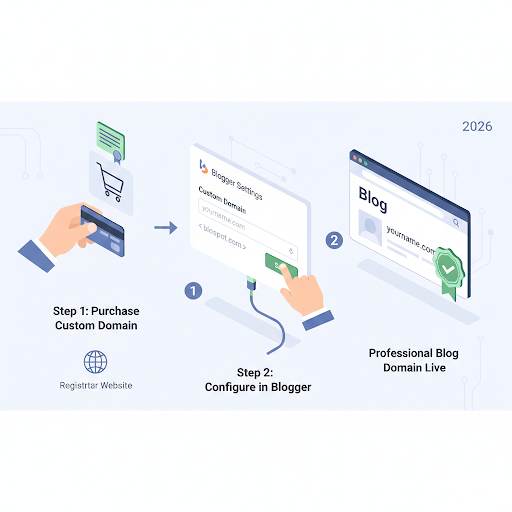
Do I need a custom domain for SEO on Blogger?
Not required, but it looks more professional and can help with branding.
Can I rank on Google with a free .blogspot domain?
Yes. Many .blogspot blogs rank well. Focus on content quality and SEO basics.
🎤 Final Thoughts: Yes, You Can Do This
If you’re using Blogger and want to grow your traffic without ads or social media, SEO is your best friend. You don’t need fancy tools or expensive courses. You just need to write for real people, focus on one topic, and follow the basic steps to help Google find your posts.
SEO isn’t magic. It’s a skill — and you’re learning it right now. So go optimize your next blog post. You’re already ahead of most bloggers just by reading this.
You’ve got this, brother. 🚀
👉 Ready to get free traffic without ads? Open your Blogger dashboard. Write one post using the SEO steps above. Submit your sitemap. Watch your traffic grow.