Sitemap in Blogger: Easy Setup Guide (2026)
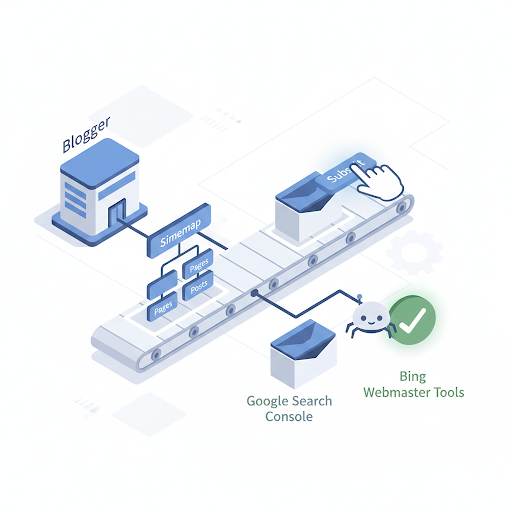
📘 TL;DR – What you’ll learn: A sitemap is a map of all your blog posts and pages that tells Google where everything is. Without it, Google might miss some of your posts. This guide shows you where to find your Blogger sitemap, how to submit it to Google Search Console, and common mistakes to avoid. Takes 5 minutes. No coding required.
🔥 The “What’s a Sitemap?” Question
Let me ask you something, friend. You just started a blog on Blogger and came across the word “sitemap.” You’re probably thinking: “What’s a sitemap in Blogger? Do I need it? And how do I even set it up?” Don’t worry — you’re not alone. In this post, I’ll break it all down for you in simple language. You don’t need to be techy or have any blogging experience. I’ll show you what a sitemap is, why it matters, and how to use it the easy way — all in a few minutes.
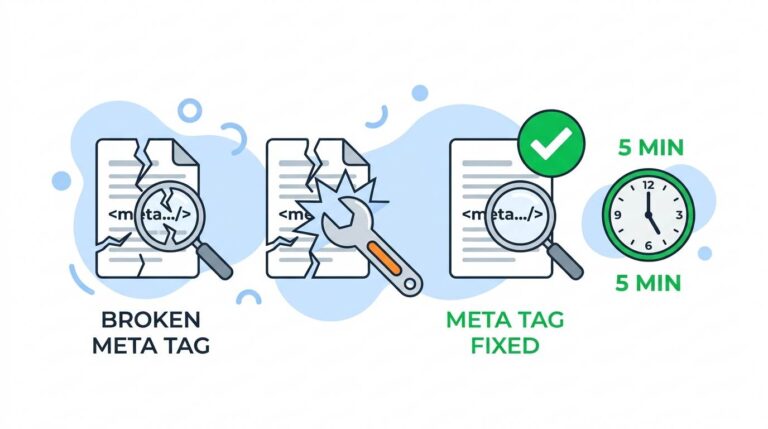
Before we dive in, understand how sitemaps fit into your overall SEO strategy. My Google Search Console for Blogger guide shows you how to monitor your site’s health. And to fix common SEO issues that might prevent your posts from being indexed, read Fix Broken Meta Tags for Blogger – it covers the code that helps Google understand your content.
📌 Quick truth: A sitemap is like a map of all your blog posts and pages. It tells Google where everything is so they can find it and show it in search results. Without it, Google might miss some of your posts. That’s the last thing you want.
✅ What’s a Sitemap in Blogger?
Let’s keep it simple. A sitemap is like a map of all the posts and pages on your blog. It tells Google and other search engines where everything is so they can find it and show it in search results.
Think of it like this: Your blog is a house. A sitemap is the guide that helps search engines walk through the house and visit every room (page). Without that map, search engines might miss some of your posts — and that’s the last thing you want.
📊 Why a Sitemap Is Super Important
- Helps Google find your posts faster
- Makes sure your blog shows up in search results
- Keeps your content updated in Google’s index
- Boosts your SEO (search engine optimization)
Even if your blog is new or small, having a sitemap is a smart move.
🗺️ Does Blogger Give You a Sitemap Automatically?
Yes! Blogger actually creates a sitemap for you — no coding, no tools needed. You just need to know where to find it and how to submit it to Google.
📍 Where to Find Your Blogger Sitemap
Here are the two main sitemap links you might use:
https://yourblogname.blogspot.com/sitemap.xmlhttps://yourblogname.blogspot.com/feeds/posts/default?orderby=updated
Just replace “yourblogname” with your actual blog URL. The first one is your main sitemap, and it’s the one you’ll submit to Google.
📋 How to Submit Your Sitemap to Google (Step‑by‑Step)
This part is easy, and it only takes a few minutes.
- Go to Google Search Console (If you haven’t used it before, sign up — it’s free.)
- Add your Blogger blog as a property. You’ll need to verify it, but Blogger makes this simple.
- Click on “Sitemaps” in the menu
- Paste this:
sitemap.xmlinto the box (don’t paste the full URL) - Hit Submit — and you’re done!
Google will now start checking your blog for new posts and updates.
For a complete guide to setting up Google Search Console, read Google Search Console for Blogger – it walks you through verification, submitting your sitemap, and monitoring your site’s performance.
❌ Common Mistakes to Avoid
- ❌ Submitting the full URL instead of just
sitemap.xml - ❌ Thinking it’ll instantly rank your blog (it won’t — but it helps)
- ❌ Ignoring error messages in Search Console
- ❌ Forgetting to check back later to see if everything’s working
💡 The Brutal Truth (Read This Twice)
Most beginners never submit their sitemap because they don’t know it exists. They write great posts, but Google never finds them. Why? Because they didn’t tell Google where to look.
A sitemap in Blogger is not optional. It’s how Google discovers your content. Without it, some of your best posts might stay invisible forever. The good news is that it takes 5 minutes. Copy your sitemap link. Submit it to Search Console. Done.
⚠️ Remember: Submitting your sitemap doesn’t guarantee instant rankings. But it does guarantee that Google knows your blog exists. That’s the first step to getting traffic.
📅 Your 5‑Minute Sitemap Action Plan
- Step 1: Copy your sitemap link (
yourblog.blogspot.com/sitemap.xml) - Step 2: Sign in to Google Search Console (free)
- Step 3: Add your blog and verify ownership
- Step 4: Click “Sitemaps” → paste
sitemap.xml→ Submit - Step 5: Check back in a few days to see if Google found your posts
After 5 minutes, your blog will be mapped for Google. No coding. No stress.
🙋 Frequently Asked Questions
What’s a sitemap in Blogger?
A sitemap is a file that lists all your blog posts and pages. It helps Google find and index your content faster.
Do I need to create a sitemap manually on Blogger?
No. Blogger automatically generates a sitemap for you at yourblog.blogspot.com/sitemap.xml.
How often should I submit my sitemap?
Once is enough. After that, Google will periodically check your sitemap for updates. But you can resubmit if you’ve added a lot of new posts.
What if my sitemap shows errors in Search Console?
Common issues include incorrect URL formatting or permission errors. Check that your blog is set to “Public” in Blogger settings. For help with Blogger settings, read Blogger Settings for Beginners – it covers privacy, meta tags, and crawler settings.
Can I submit a sitemap if I use a custom domain?
Yes. Just replace “yourblogname.blogspot.com” with your custom domain in the sitemap URL.
🎤 Final Thoughts: Your Blog Deserves to Be Found
Setting up a sitemap in Blogger is one of the easiest and most powerful things you can do to help your blog show up on Google. You don’t need plugins. You don’t need to know code. You just need to submit one link and let Google do its thing.
Quick Recap (Your To‑Do List):
- ✅ Copy your sitemap link
- ✅ Submit it in Google Search Console
- ✅ Check back for errors
- ✅ Keep posting great content!
Your blog deserves to be found. Submit your sitemap today. You’ve got this, friend. 👻
👉 Ready to submit your Blogger sitemap to Google? Go to Google Search Console (free). Add your blog. Submit sitemap.xml. Done. Google will find your posts faster.