SEO Checklist for Beginners: 10 Easy Steps to Get Started (2026)

📘 TL;DR – What you’ll learn: SEO sounds confusing, but it’s actually simple. This 10‑step checklist walks you through everything you need to do for every blog post – choose the right keyword, place it naturally, write for humans, create great titles, add internal links, optimize images, and more. Follow this checklist every time you publish, and you’ll be ahead of 90% of beginners.
🔥 The Confusion That Stops Most Beginners
Let me be real with you, brother. You’ve heard about SEO — maybe from a YouTube video or a blog post. Someone told you it’s important for getting traffic. But let me guess — you still don’t fully get it, right? It sounds confusing. Keywords, meta tags, backlinks… What does it all mean? If that’s how you feel, you’re in the right place. Most beginner blogs fail at SEO not because it’s hard — but because they skip this checklist. Let’s fix that.
Before we dive into the checklist, understand the foundation of good SEO. My Long Tail Keywords guide shows you how to find low‑competition phrases that actually rank. And to track your progress, set up Google Search Console for Blogger – it’s free and shows you exactly which keywords bring visitors to your blog.
📌 Quick truth: SEO isn’t complicated. It’s just helping Google understand your content so it can show it to the right people. Follow this checklist every time you write a post, and you’ll be ahead of 90% of beginners. No tech skills needed.
✅ What Is SEO, and Why Should You Care?
SEO stands for Search Engine Optimization. It’s the process of helping your website or blog show up on Google when people search for something related to what you offer. For example, if you write about fitness tips, you want people to find your blog when they Google “how to lose belly fat” or “easy home workouts.” SEO helps make that happen — for free. And if you want organic traffic (visitors without paying for ads), learning the basics of SEO is a must.
📋 The Beginner‑Friendly SEO Checklist (10 Easy Steps)
1. Start With the Right Keywords
Keywords are the words people type into Google. Think: What would someone search if they were looking for your blog post? Use a free tool like Ubersuggest or Google Trends to find beginner‑friendly keywords. Start with long‑tail keywords (like “best SEO checklist for beginners”) — they’re less competitive and easier to rank for. For a complete guide, read Long Tail Keywords – it shows you exactly how to find and use low‑competition phrases.
👉 Pick one main keyword per post, and make sure it matches what your article is really about.
2. Use That Keyword in the Right Places
Once you’ve chosen your keyword, place it naturally in:
- Your blog post title
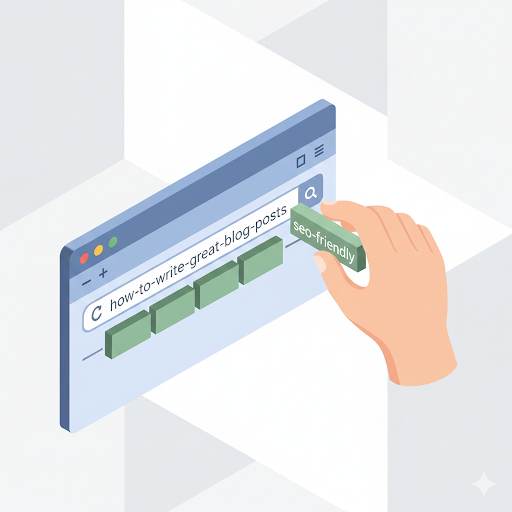
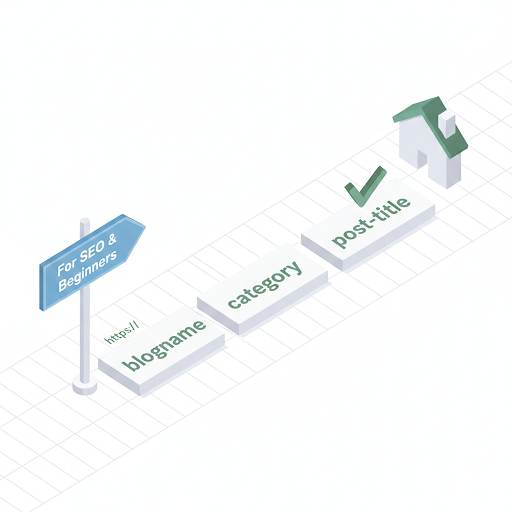
- The URL (link) of the post (custom permalink)
- Your first 100 words
- At least one subheading (like an H2)
- A few times in the body (without stuffing it)
- The meta description
Don’t force it — just make sure Google understands what your post is about.
3. Write for Humans First, Google Second
Don’t write like a robot. Write like you’re having a conversation with a real person — like we’re doing right now. If your post is helpful, easy to read, and answers real questions, Google will love it (and so will people). Use simple language, short paragraphs, and clear explanations. For more writing tips, read 10 Essential Blog Writing Tips – it covers how to write posts people actually read.
4. Create a Great Title That Gets Clicks
Your title is the first thing people see on Google. Make it count.
Instead of: “SEO Tips for Beginners” — try: “SEO Checklist for Beginners: Simple Steps to Rank on Google”
Use power words like “simple,” “ultimate,” “step‑by‑step,” or “complete.” And make sure it promises real value.
5. Add Internal Links to Your Other Posts
Whenever possible, link to other useful articles on your blog. This helps Google understand your site better, and it keeps visitors engaged longer. For a complete guide, read Internal Linking – it shows you how to build a web of content that keeps readers on your site.
👉 For example, if you write a post about blogging tools, you can link to this SEO checklist!
6. Make Your Site Mobile‑Friendly
Most people read blogs on their phones. If your blog isn’t easy to read on mobile, Google won’t rank it high. Good news: If you’re using Blogger or a modern template, you’re probably fine. But check using Google’s free Mobile‑Friendly Test.
7. Use Image Alt Text
When you add images, always include an “alt text” that describes what the image shows — using your keyword when it fits naturally. This helps with Google image search and makes your site more accessible. For a complete guide to optimizing images, read SEO for Images – it covers file names, compression, and alt text.
8. Improve Your Page Speed
If your blog loads slowly, people will leave before reading anything. Speed things up by: compressing images before uploading, removing unnecessary widgets, and using fewer large files (like auto‑play videos). Google’s free tool PageSpeed Insights can tell you what to fix. Use Canva to create optimized graphics that load quickly.
9. Create a Simple, Clear Meta Description
This is the short text that appears below your title on Google. Make it around 150 characters, include your main keyword, and tell the reader what they’ll learn if they click.
Example: “Want to learn SEO from scratch? This beginner‑friendly checklist gives you the exact steps to start ranking your blog on Google.”
10. Be Consistent & Keep Learning
SEO isn’t a one‑time task. It’s an ongoing process. The more you write helpful content, optimize your posts, and build links — the more traffic you’ll get over time. Stick with it. Improve with every post. And never stop learning.
🚫 Common Beginner Mistakes to Avoid
- Stuffing too many keywords in one post
- Copying content from other blogs
- Ignoring mobile usability
- Writing for Google only (not for humans)
- Using random images without compression
- Not linking to other posts
💡 The Brutal Truth (Read This Twice)
Most beginners think SEO is complicated. They avoid it because it feels technical. But the truth is simpler: follow this checklist every time you publish, and you’ll be ahead of 90% of bloggers. Most people skip these steps because they seem like “extra work.” But these 10 steps take 10‑15 minutes per post. That small investment pays off in free traffic for months and years.
This SEO checklist for beginners is not a one‑time thing. Make it a habit. Every post you write should go through this checklist. Over time, it becomes second nature. And your traffic will thank you.
⚠️ Remember: SEO is a marathon, not a sprint. One optimized post won’t change your traffic overnight. But 50 optimized posts over a year will. Start with one post. Apply the checklist. Then repeat.
📅 Your 7‑Day SEO Checklist Action Plan
- Day 1: Choose one keyword using Ubersuggest or Google Trends.
- Day 2: Write a post title that includes your keyword and promises value.
- Day 3: Write the post. Use your keyword in the first 100 words and one subheading.
- Day 4: Add 2‑3 internal links to your older posts.
- Day 5: Optimize your images (rename, compress, add alt text).
- Day 6: Write a meta description (under 160 characters, include keyword).
- Day 7: Publish and share on Pinterest or social media. Then repeat.
After 30 days, you’ll have 4‑5 SEO‑optimized posts — and your traffic will start growing.
🙋 Frequently Asked Questions
How long does SEO take to work for a beginner?
Usually 3‑6 months to see meaningful traffic. But you’ll see small wins earlier. Be patient.
Do I need to pay for SEO tools?
No. Free tools like Ubersuggest, Google Trends, Google Search Console, and PageSpeed Insights are enough for beginners.
Can I do SEO on Blogger?
Yes. Blogger supports custom URLs, meta tags, alt text, and internal linking.
What’s the most important step for a beginner?
Keyword research + writing for humans. If you target the right keywords and write helpful content, everything else gets easier.
🎤 Final Thoughts: You Don’t Need to Be an Expert to Get Results
Listen — you don’t need to be an SEO expert to start getting traffic. Just follow this SEO checklist for beginners every time you write a post. Stay consistent. Keep learning. And give your readers real value. That’s the secret.
Now go write your next post — and use this checklist. Your traffic will thank you.
You’ve got this, brother. 🚀
👉 Ready to start ranking with this SEO checklist? Try Ubersuggest (free). Find beginner‑friendly keywords. Write your first optimized post. Start growing.