Permalink in Blogger: How to Set the Perfect URL (2026 Guide)
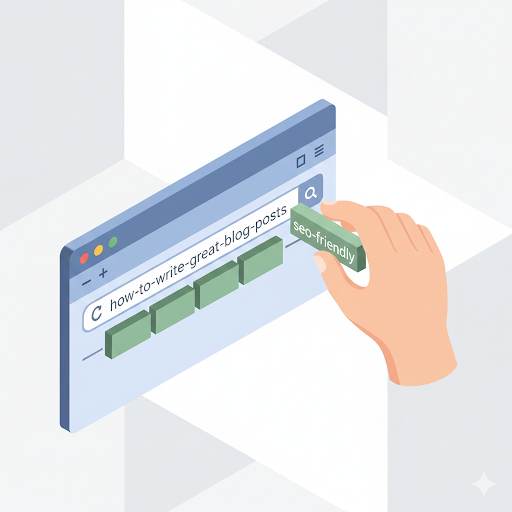
📘 TL;DR – What you’ll learn: A permalink is your blog post’s permanent URL – the link people and Google use to find your content. This guide shows you why clean, keyword‑rich permalinks boost your SEO, how to set custom permalinks in Blogger, and common mistakes to avoid. Takes 2 minutes per post – small effort, big ranking impact.
🔥 The Small Detail That Makes a Big Difference
Let me ask you something, friend. If you’re new to blogging on Blogger, you’ve probably seen the word “permalink” pop up — but what does it actually mean? And why should you care? Let me break it down for you.
A clean URL can boost your SEO and help readers find you. Here’s exactly how to set the perfect permalink in Blogger.
Before we dive in, understand how permalinks fit into your broader SEO strategy. My URL Structure for SEO guide covers the 3 stupid link mistakes that kill your rankings. And to make sure your permalinks are working with your overall site structure, read Internal Linking – it shows you how to connect your content for better SEO.
📌 Quick truth: A permalink is just your blog post’s URL – the permanent link that people (and Google) use to find your content. If your URL is clean and includes your main keyword, it boosts your chances of ranking on Google. If it’s messy or full of random words and numbers, it can actually hurt your SEO. Small detail – big difference.
✅ What Is a Permalink in Blogger?
A permalink is just a fancy word for your blog post’s URL — the permanent link that people (and Google) use to find your content. It’s what shows up in the address bar when someone clicks on your post.
For example: https://yourblog.blogspot.com/2026/07/my-first-blog-post.html — That’s a permalink.
📊 Why Your Permalink Matters for SEO
Here’s the thing — your permalink helps Google understand what your blog post is about. It also gives your readers a quick idea before they even click. If your URL is clean and includes your main keyword, it boosts your chances of ranking on Google. If it’s messy or full of random words and numbers, it can actually hurt your SEO. So yeah, it’s a small detail — but it matters. A lot.
🛠️ How to Set the Permalink in Blogger
When you write a new post in Blogger, the platform creates a default permalink based on your title. But you also have the option to customize it — and you should.
Here’s how to do it:
- Open your post in the Blogger editor.
- On the right-hand side, click on “Permalink”.
- Choose “Custom Permalink”.
- Type in a short version of your title (with hyphens instead of spaces).
- Use lowercase letters and include your keyword.
- Click “Done” — and that’s it!
✅ Example: Let’s say your blog title is “10 Blogging Mistakes Every Newbie Makes”. Your permalink could be: /blogging-mistakes-for-beginners. Simple. Clean. SEO‑friendly. For a complete checklist of SEO best practices, read Blogger SEO Checklist – it covers permalinks, meta tags, and more.
🙅♂️ Common Permalink Mistakes to Avoid
If you’re just starting out, it’s easy to overlook permalinks — or mess them up. Here are a few things to avoid:
- ❌ Leaving it too long (Google prefers short URLs)
- ❌ Including stop words like “the,” “and,” “of”
- ❌ Using capital letters or special characters
- ❌ Changing your permalink after publishing (this can break your link unless you know how to redirect)
💡 Quick Tips to Nail Your Permalinks
- Use your main keyword
- Keep it short and clear
- Stick to hyphens, not underscores
- Write it like you’re explaining what the post is about — in 3–5 words max
For designing visuals that complement your clean permalinks, use Canva to create custom graphics that match your post’s keyword theme.
💡 The Brutal Truth (Read This Twice)
Most beginners ignore permalinks because they seem like a tiny detail. But SEO is all about the little things adding up. A clean permalink shows Google you know what you’re doing. It also looks better to your readers.
Permalink in Blogger is not complicated. It takes 2 minutes per post. Set a clean, keyword‑rich URL before publishing. Never change it after. That’s it. This one habit will improve your click‑through rates and help Google understand your content better.
⚠️ Remember: A clean permalink shows Google you know what you’re doing. A messy one says “I don’t care about the details.” Choose wisely.
📅 Your 2‑Minute Permalink Action Plan
- Step 1: Before hitting publish, click “Permalink” in the post editor.
- Step 2: Select “Custom Permalink”.
- Step 3: Remove stop words (the, and, of, to, for).
- Step 4: Replace spaces with hyphens. Use lowercase only.
- Step 5: Keep it under 5 words (e.g., “blogger-permalink-guide”).
- Step 6: Click “Done” and publish.
That’s it. Your URL is now SEO‑friendly.
🙋 Frequently Asked Questions
Can I change my permalink after publishing?
You can, but it’s risky. Changing a URL after publishing breaks all existing links to that post. If you must change it, set up a 301 redirect. On Blogger, this is not easy – so get it right the first time.
Should I include the date in my permalink?
No. Dates make your content look old. Use a clean, keyword‑rich slug without dates.
How long should my permalink be?
Aim for 3‑5 words, 50‑60 characters max. Shorter is better.
Do permalinks affect click‑through rates?
Yes. Clean, descriptive URLs get more clicks than messy, confusing ones. People trust clear links.
🎤 Final Thoughts: Small Effort, Big Impact
A lot of beginner bloggers don’t even realize how important permalinks are. But now that you know, you’ve got an edge. It may seem small, but trust me — SEO is all about the little things adding up. A clean permalink shows Google you know what you’re doing. It also looks better to your readers.
So the next time you’re about to hit “publish,” pause for a second. Look at the permalink. If it’s messy, fix it. If it’s clean and keyword‑rich — awesome. Hit that publish button with confidence.
Remember: You don’t need to be an expert to get this right. Just follow these simple steps, and you’re ahead of the game.
You’ve got this, friend. 🚀
👉 Ready to fix your permalinks and boost your SEO? Open your Blogger dashboard. Go to any draft post. Click “Permalink”. Set a clean, keyword‑rich URL. Publish with confidence.