Google Business Profile – Set Up Your Free Listing in 10 Minutes
📘 TL;DR – What you’ll learn: Google Business Profile is a free tool that helps people find your business on Google Search and Maps. This guide walks you through setting up your profile, adding photos, choosing categories, and verifying your listing. Takes 10 minutes. No tech skills needed. Even if you work from home or don’t have a physical store, you can still get found locally.
🔥 The “Find My Business” Problem
Let me guess — you just heard about Google Business Profile, and you’re wondering what the heck it is, why people keep talking about it, and whether you need it. You’re not alone. This guide is for you if you’ve never set one up before, don’t consider yourself “techy,” or just want to make sure people can find your business online.
I’ll walk you through what it is, how to set it up, and why it seriously matters (even if you’re just starting). Let’s make this simple, friend.
Before we dive in, understand how a Google Business Profile works with your online presence. If you’re building a website to support your business, my How to Start a Blog on Blogger guide shows you how to create a free site in minutes. And to attract customers once your profile is live, read 8 Free Traffic Strategies – it covers local SEO and community promotion.
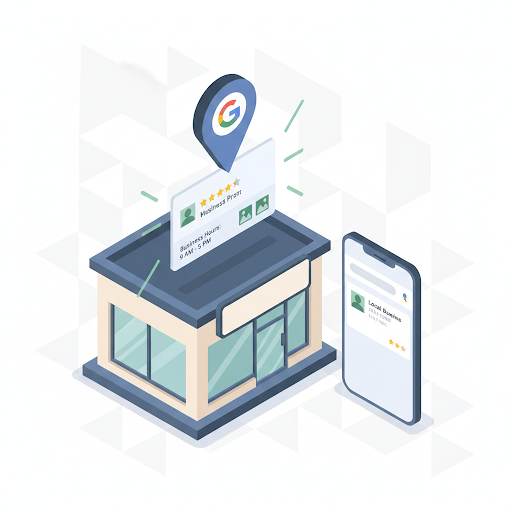
📌 Quick truth: Google Business Profile is a free tool from Google that helps people find your business when they search online — especially on Google Search or Google Maps. It’s like your business’s homepage directly on Google.
✅ What Is Google Business Profile?
You’ve probably seen it before without realizing it. When you search for something like “coffee shop near me” or “plumber in Riyadh,” that box that pops up with business info, hours, reviews, photos, and directions? That’s a Google Business Profile. It’s free, simple, and works for small businesses and freelancers too.
📊 Why Should You Even Care?
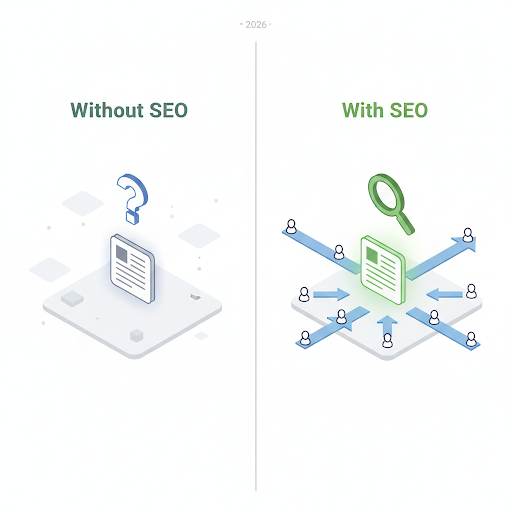
Because people are already searching for what you offer. If your business isn’t showing up — they’ll pick someone else. Here’s what a Google Business Profile does for you:
- Helps people find you easily on Google and Maps
- Shows your phone number, website, location, hours, and more
- Builds trust with customer reviews
- Lets you share updates, events, or offers
- Brings in local customers — even if you don’t have a website
- It’s free. It’s simple. And it works.
👤 Who Can Use It?
You can use Google Business Profile if you run a local shop, cafe, or salon; if you work from home but offer services in your area; or if you deliver or meet clients locally (photographers, tutors, cleaners, etc.). If you don’t have a physical store, no problem — you can still show up in your service area. You can also hide your home address if you want to keep things private.
📋 How to Set Up Google Business Profile (Step‑by‑Step)
- Go to google.com/business
- Click “Manage now”
- Type your business name
- Choose the right category (like “hair salon” or “graphic designer”)
- Add your address or select your service area
- Enter your phone number and website (if you have one)
- Finish and verify your business (Google usually sends a postcard or email)
That’s it. Once verified, your profile goes live — and people can find you!
🎨 What Makes a Great Profile?
Once you’re up and running, don’t stop there. A complete and updated profile helps you rank higher and look more trustworthy. Here’s what to add:
- Photos of your place, your work, or your team. Use Canva to create professional images.
- A short description of what you do and who you help. Use Grammarly to polish your business description.
- Your hours (and keep them updated!)
- Posts — updates, offers, tips, or anything new
- Respond to reviews — even the bad ones (keep it friendly!)
Google loves businesses that stay active — and so do customers.
❌ Beginner Mistakes to Avoid
- Skipping important info like hours or photos
- Choosing the wrong business category
- Ignoring reviews (especially if they’re negative)
- Not verifying your profile
- Adding fake locations or fake reviews (Google will catch you)
- Forgetting to update your profile regularly
Set it up right the first time, and you’ll avoid a lot of headaches.
💡 The Brutal Truth (Read This Twice)
Most small business owners never set up their Google Business Profile because they think it’s complicated or they don’t have “enough” of a business. Meanwhile, their competitors are getting found on Google Maps every single day.
A Google Business Profile is free. It takes 10 minutes. It brings customers directly to you. If you’re not on Google Maps, you’re invisible to the millions of people searching for what you offer. Don’t let fear or confusion hold you back. Set it up today.
⚠️ Remember: Google Business Profile works even if you don’t have a website. But if you want to build a website to support your profile, start with the Blogger guide linked above – it’s free and takes 10 minutes.
🔄 Keep It Fresh (So You Keep Showing Up)
Once you’re live, keep things moving:
- Post weekly updates or photos
- Ask happy customers to leave reviews
- Reply to reviews (shows you care)
- Update your hours during holidays or special days
- Use the insights to see how people are finding you
Think of it like social media — but built for search.
For a complete guide to building trust with your customers online, read About Us Page for Blogger – it shows you how to tell your story and connect with your audience.
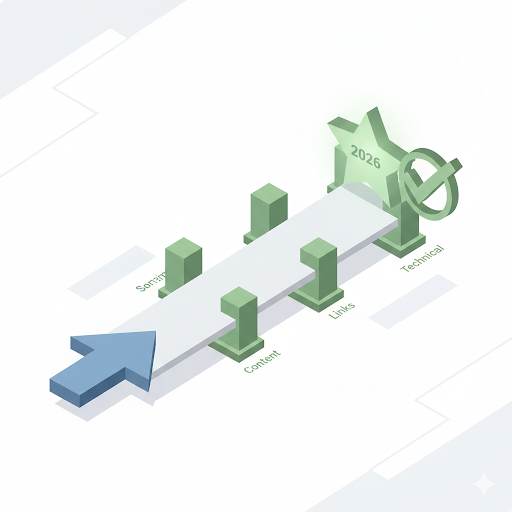
📅 Your 10‑Minute Action Plan
- Go to google.com/business and click “Manage now”
- Enter your business name and category
- Add your address or service area
- Provide phone number and website (if any)
- Complete verification (postcard or email)
- Add photos, hours, and a short description
- Publish your profile — you’re now visible on Google!
After 10 minutes, your business will show up on Google Search and Maps. Free.
🙋 Frequently Asked Questions
Can I set up a Google Business Profile if I work from home?
Yes. When setting up, choose “I deliver services to customers” and hide your home address. You’ll still show up in your service area.
Do I need a website to have a Google Business Profile?
No. Your profile works perfectly without a website. But having one helps build trust and gives customers more information.
How long does verification take?
Google usually sends a postcard with a verification code within 5‑14 days. Some businesses can verify by email or phone.
What if I don’t have any reviews yet?
That’s fine. Start by asking happy customers to leave a review. Even 3‑5 reviews make a big difference.
Can I add my Google Business Profile to my Blogger blog?
Yes. You can add a link to your profile or embed a map showing your location. For more local SEO tips, read the About Us guide linked above.
🎤 Final Thoughts: Just Start
If you’re still wondering, “Should I really bother with this?” — Yes. 100%. Even if you’re new, even if your business is small, even if you’re working from home. Google Business Profile helps people find you, trust you, and choose you — all before they even visit your website.
You don’t need to be a tech expert to make it work. It’s free, powerful, and only takes a few minutes to set up. So go ahead. Set it up today. Show up where your customers are already looking.
You’ve got this, friend. 👻
👉 Ready to get your business on Google Maps? Set up your Google Business Profile (free). Takes 10 minutes. No tech skills needed. Start getting found today.