Choosing the Right Domain Name in 2026: Don’t Make This Costly Mistake
📘 TL;DR – What you’ll learn: A bad domain name is a costly mistake that will haunt you for years. This guide shows you how to choose a domain that is short, brandable, easy to spell, and future‑proof. Avoid numbers, hyphens, years, and overly narrow topics. Take 24 hours to decide – your future self will thank you.
🔥 The $9 Mistake That Haunts Bloggers for Years
You are excited. You have a blog idea. You grab the first domain name that comes to mind. It is available. You buy it. Done.
Fast forward six months. You realize your domain is impossible to spell. It has a weird number. Or it locks you into a topic you no longer love. But now you have posts, backlinks, and some traffic. Changing feels impossible, brother.
This happens to thousands of beginners. And they regret it for years.
Choosing the right domain name is not just about availability. It is a strategic decision that affects your branding, SEO, and sanity. This guide will show you exactly how to pick a domain name that grows with you – and the costly mistake you must avoid.
Before you pick a domain, you need a clear niche. My Why Niche Is Important guide explains why focus matters. And once you have a niche, explore Best Niches for Affiliate Marketing to see which topics have monetization potential – your domain should align with your niche.
📌 Real story – Omar’s $9 mistake cost him 8 months
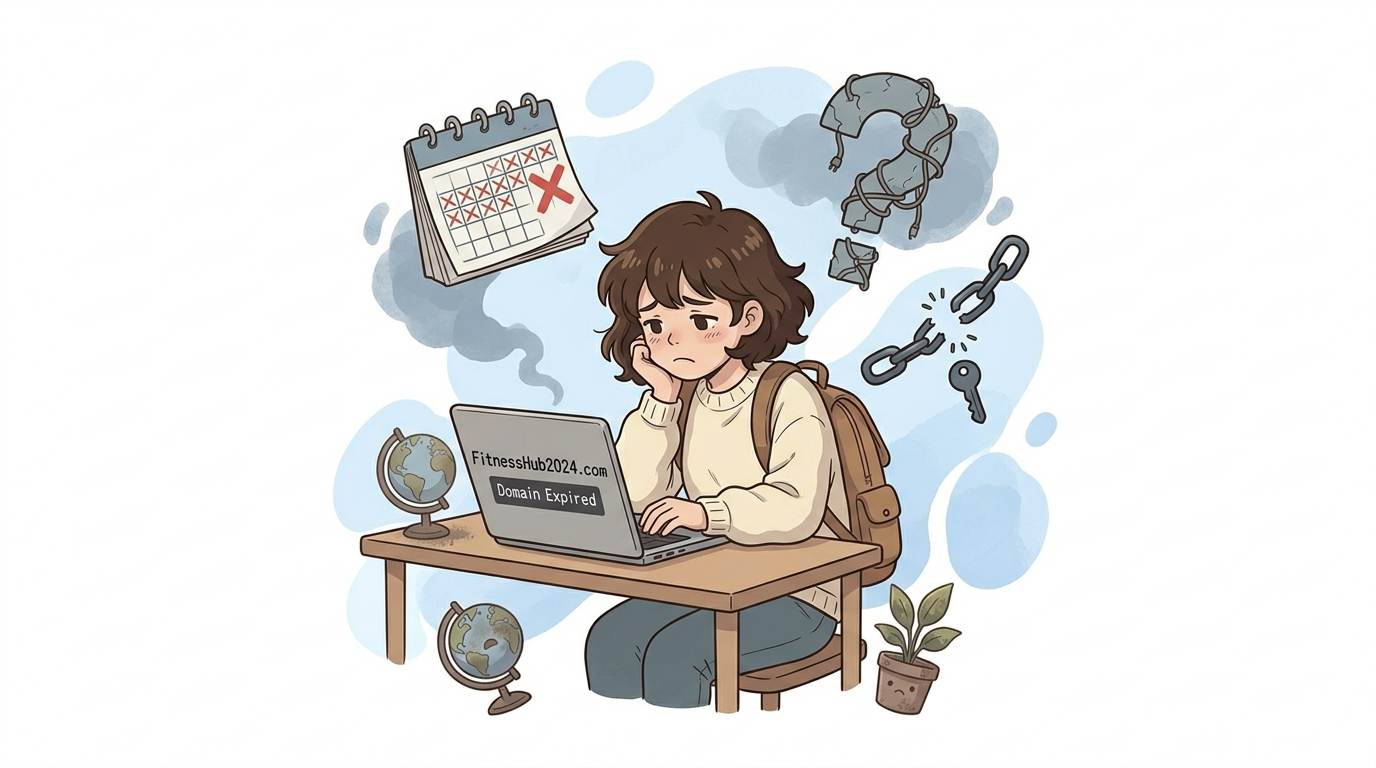
Omar started a blog about fitness. He bought “FitnessHub2024.com”. It had a number and a year. It felt fine at the moment. Eight months later, his blog was growing. But “2024” looked outdated. He felt stuck. He could not change because his posts were ranking. He regretted that $9 decision every single day.
Do not be Omar. Choose wisely from day one.
⚠️ The #1 mistake beginners make: Rushing to buy the first available domain without thinking about long‑term branding, spelling, or flexibility. A bad domain name is like a bad tattoo – expensive and painful to fix.
✅ What Makes a Great Domain Name in 2026?
1. Short and Easy to Type
Aim for 6–15 characters. Long names invite typos. Every extra letter is a chance for someone to misspell your blog’s address.
Good example: FitJourney.com (11 characters)
Bad example: TheUltimateFitnessSolutionForBusyPeople.com (too long, forgettable)
2. Brandable, Not Just Keyword‑Stuffed
Keyword domains like “bestdigitalmarketingtips.com” feel spammy and hard to remember. Brandable names like “MarketerFlow.com” stick in people’s minds.
3. Easy to Spell and Pronounce
If you have to spell it twice, it is wrong. Avoid creative spellings like “FrootL00ps” or “KwikFix”.
4. Relevant to Your Niche (But Not Locked In)
“KetoWithJen.com” locks you into keto. “HealthyWithJen.com” gives you room to expand into general wellness later.
5. Uses .com if Possible
.com is still the gold standard. People trust it. Alternatives like .net, .co, or .blog can work, but .com gives you a head start.
🚫 The Costly Mistake Beginners Regret (Avoid This at All Costs)
The mistake is simple: choosing a domain name that is too narrow, contains a date, or has numbers or hyphens.
| Mistake | Why It Hurts | Example |
|---|---|---|
| Includes a year | Looks outdated quickly | TechTips2024.com |
| Has numbers | Confusing (is it 4 or four?) | Top4Blogging.com |
| Contains hyphens | Hard to say out loud | best‑seo‑tips.com |
| Too narrow | Cannot expand later | VeganBreakfastOnly.com |
Any of these mistakes will make you regret your domain name within a year. Avoid them now.
📝 How to Choose the Right Domain Name (Step‑by‑Step)
Step 1: Brainstorm 5–10 Name Ideas
Write down words related to your niche. Combine them. Use your name, a feeling, or a made‑up word. Do not judge yet – just list.
Step 2: Check Availability
Use Namecheap or GoDaddy. If your first choice is taken, do not panic. Small variations might work, but avoid adding hyphens or numbers.
Step 3: Say It Out Loud
Tell a friend: “Hey, check out my blog at [domain name].” If they ask you to spell it, choose another name.
Step 4: Check Social Media Handles
Use Namechk.com to see if your domain name is available on Instagram, X (Twitter), and Pinterest. Consistent branding builds trust.
Step 5: Sleep on It
Do not buy the same day. Wait 24 hours. If you still love it tomorrow, buy it. This simple rule saves beginners from impulse regrets.
💡 Pro Tip: Use domain name generators like LeanDomainSearch or Nameboy if you are stuck. They combine keywords and suggest creative, available names you would not think of.
🛠️ Domain Name Generators & Tools (Free)
- LeanDomainSearch – Type a keyword, get hundreds of available .com names.
- Nameboy – Combines two keywords into brandable names.
- Namechk – Checks domain and social media availability at once.
- Instant Domain Search – Shows available names as you type.
🔗 What to Do After Choosing Your Domain
Once you buy your domain, you need to connect it to your blog. If you use Blogger, the process is straightforward. If you use WordPress, most hosting providers offer one‑click domain connection. For a complete guide on setting up your blog, read How to Install WordPress on Bluehost – it covers hosting, domain, and installation in 20 minutes.
📌 Your 1‑Hour Domain Decision Plan
- ☐ Brainstorm 10 domain name ideas (no filters yet).
- ☐ Eliminate names with numbers, hyphens, or years.
- ☐ Check availability for your top 5 names.
- ☐ Say each name out loud to a friend.
- ☐ Check social media handles for your top choice.
- ☐ Wait 24 hours. If still happy, buy it.
- ☐ Connect it to your blog and enable HTTPS.
🙋 Frequently Asked Questions
Should I use my own name or a brand name?
Your name is great for personal brands (portfolio, coaching). A brand name is better for niche sites you might sell later.
What if the .com is taken?
Try .co, .net, or .blog. But only if the name is truly unique. Alternatively, tweak the name slightly.
Can I change my domain name later?
Yes, but it is painful. You lose SEO rankings, backlinks, and traffic. Choose right the first time.
How much should I pay for a domain?
$10–$15 per year. Do not overspend on premium domains as a beginner.
💡 The Brutal Truth (Read This Twice)
Most beginners rush to buy a domain name because they are excited. They think, “I can always change it later.” But changing a domain is one of the hardest things to do in blogging. You lose SEO. You break backlinks. You confuse readers.
Omar’s $9 domain cost him 8 months of regret. Do not be Omar. Take 24 hours. Test the name on friends. Imagine saying it 100 times. Imagine it on a business card. If it feels wrong now, it will feel worse later.
Choosing the right domain name is a one‑time decision. Make it count.
⚠️ Remember: A great domain name is short, brandable, easy to spell, and future‑proof. Avoid numbers, hyphens, and years. Sleep on it before buying.
🎤 Final Thoughts: Your Domain Name Is Your Digital Home
Choosing the right domain name in 2026 is not about perfection. It is about avoiding costly mistakes that will haunt you for years.
Do not rush. Do not use numbers. Do not lock yourself into a narrow topic. Do not buy the first name you see.
Brainstorm. Test. Sleep on it. Then buy.
Omar regretted his $9 domain for eight months. Do not be Omar. Take 24 hours. Choose wisely. Your future self will thank you.
You have got this, brother. 🚀
👉 Ready to find and buy your perfect domain name? Search for available domains on Namecheap. Prices start at $9/year. Take 24 hours to decide. No rush.